

Introduction
The mParticle integration does not currently support Unified Identity (Identity Resolution) or Portfolio.
Integration
- Ensure that you have access to your MoEngage settings
- Ensure that you have access to your mParticle dashboard.
Scope
| Integration | Details |
|---|---|
| Server to server API | Also called cloud mode. The data is sent directly from mParticle servers to MoEngage servers. Note that you need integrate with MoEngage SDKs for messaging needs on Push and inApps. |
| mParticle bundled kit | Also called device mode. For more information, refer here. |
Server to server integration
mParticle forwards all data as events to MoEngage. MoEngage system then creates events or user attributes based on the event type and user identities.Supported data types
| Type | Details |
|---|---|
| mParticle input sources | All mParticle input sources are supported-
|
| User Identities | MoEngage allows you to export all MoEngage user attributes. For user identities, only these are supported-
|
| Event types | The following event types are supported-
|
| System Notification Types | The following types are supported-
|
Steps
Step 1. Setup MoEngage as output on mParticle
On mParticle dashboard,- Navigate to Setup > Output
- Go to the Event tab. Click Add Event Output on top right.
- Search for MoEngage.
- In the pop up, provide the details of your MoEngage app.
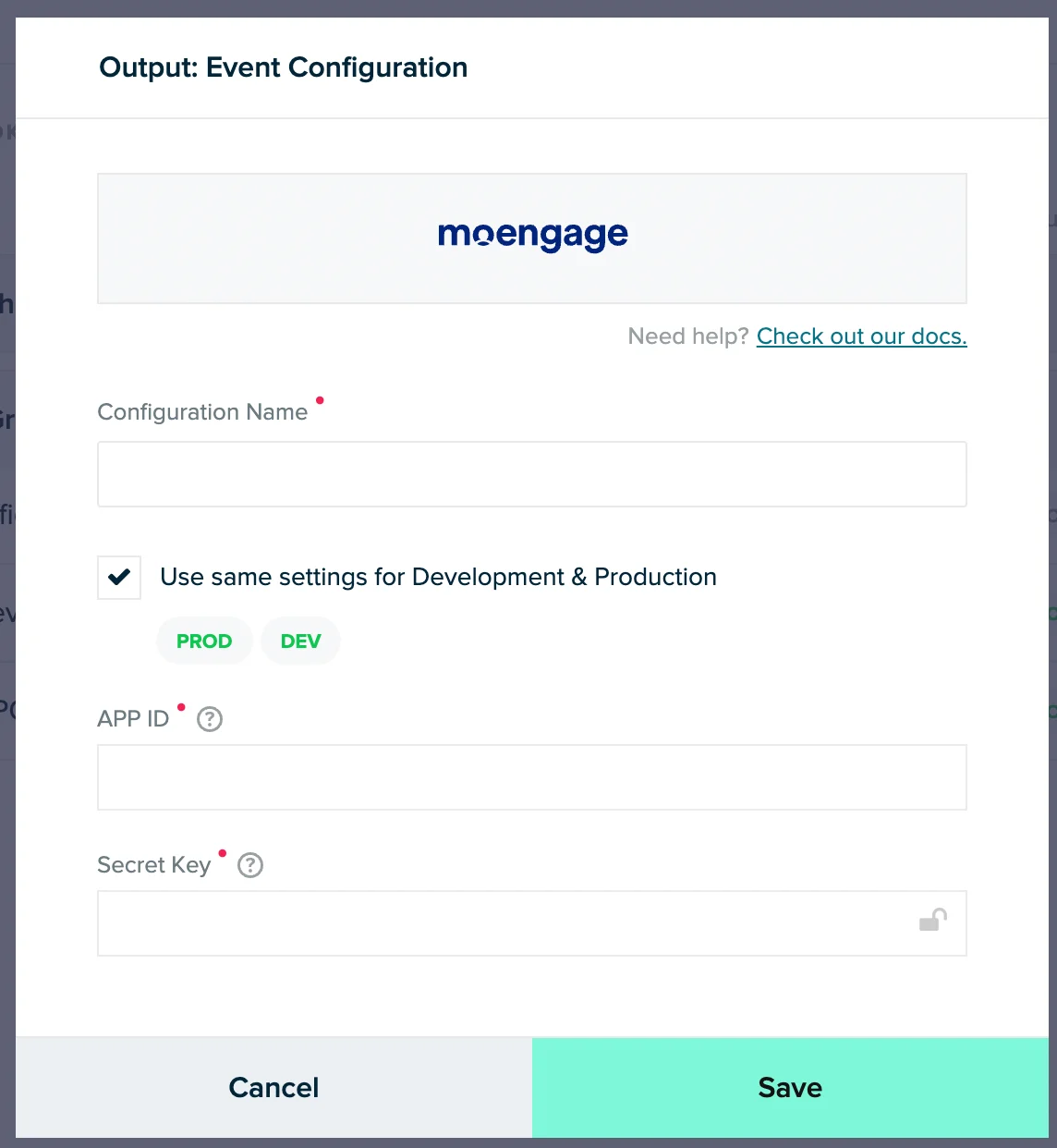
| Field | Details |
|---|---|
| Configuration name | You can give any name to your configuration - eg. “MoEngage Prod” |
| App ID | The Workspace ID of your MoEngage account is available at Settings - > Account -> APIs ->Workspace ID. The Data API ID and the Workspace ID of your MoEngage account are the same. |
| Secret key | Secret key is the Data API Key. The Data API key of your MoEngage account is available at **Settings - > Account -> APIs -> API keys **>Data API settings. |
Step 2: Setup a MoEngage connection
On your mParticle dashboard,- Navigate to Connections >> Connect.
- Select your desired input stream.
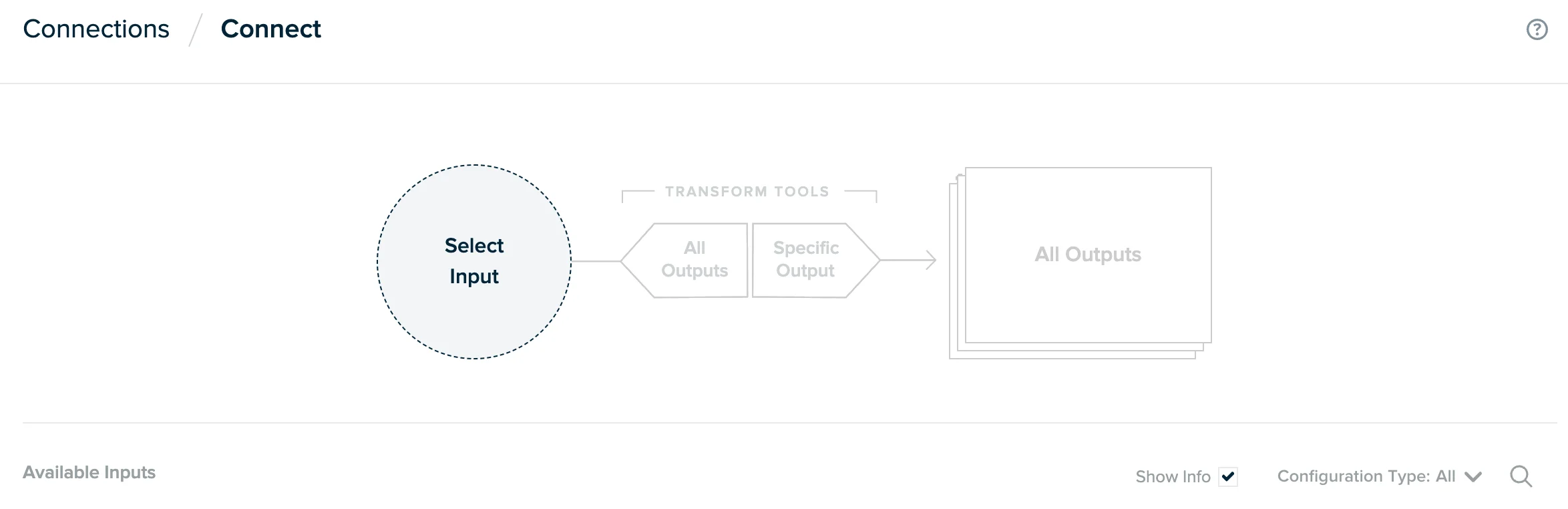
- Select your MoEngage account as Output. This is the one that you had configured in the Step 1.
- Define the forwarding rules as per your requirement. Read more about data forwarding in mparticle here.
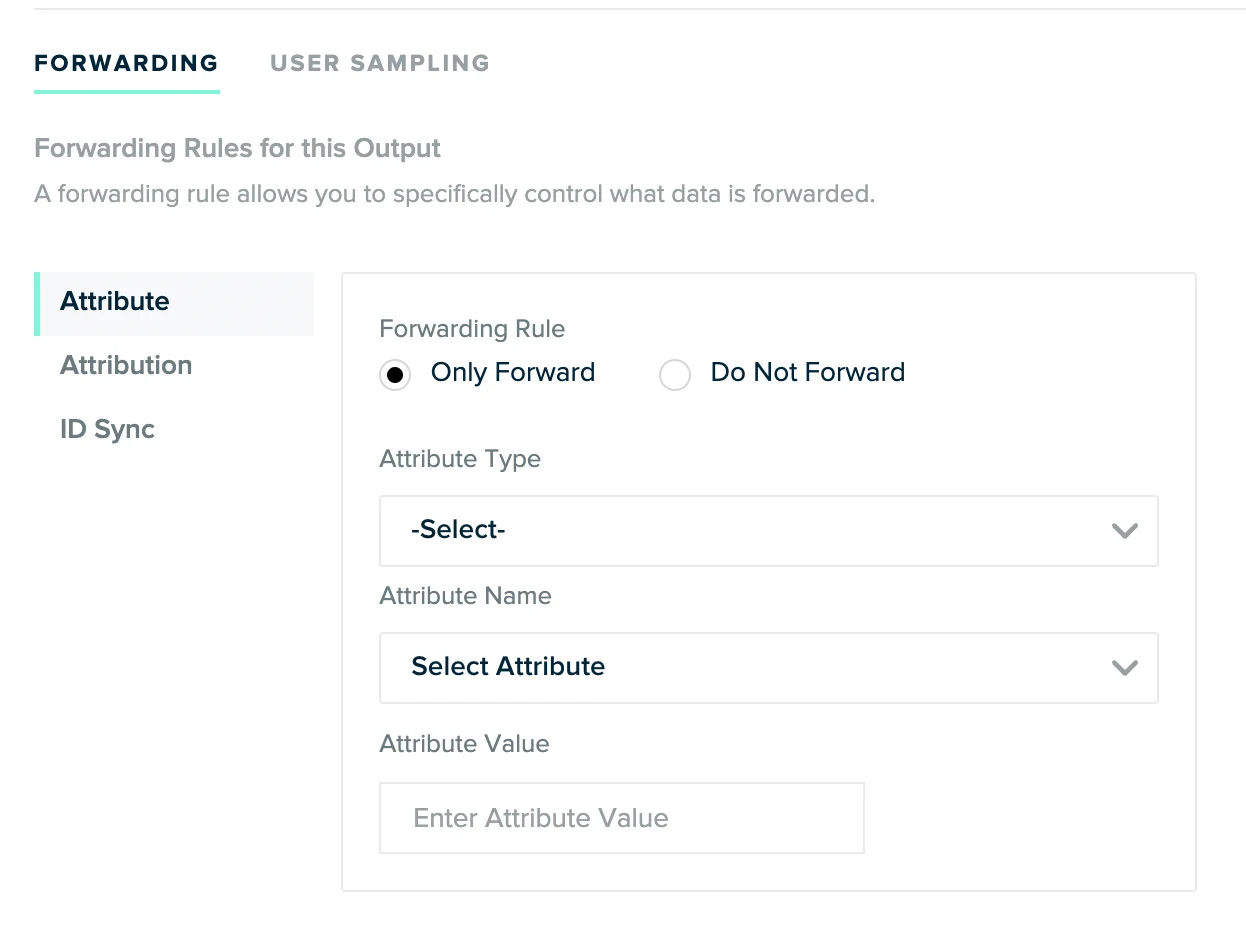
Data mapping
Data mapping
| mParticle data type | MoEngage data type | Details |
|---|---|---|
| Reserved user attributes | Standard MoEngage attributes | The reserved mParticle attributes are mapped to the standard MoEngage attributes. |
| User identities | Standard MoEngage attributes | The user identities in mParticle are mapped to the standard MoEngage attributes. |
| Other user attributes | Custom user attribute | Any user attributes passed to mParticle that fall outside of its reserved user attribute keys are logged in MoEngage as a custom attribute. User attributes support string, numerical, boolean, date, arrays and even objects. Note that object support is not supported out of the box. Please reach out to your MoEngage CSM or our support team to get it enabled. |
| Custom event | Custom event | mParticle custom events are recognised by MoEngage as a custom event. Event attributes are forwarded as custom event attributes. Event attributes passed to MoEngage support string, numeric, boolean, and date objects. |
| Purchase commerce event | Custom event | Purchase commerce events are mapped to custom events in MoEngage.
|
| Other commerce events | Custom event | Other commerce events are mapped to custom events in MoEngage.
|
| Other mParticle events | Not supported | Events like “session_start”, “session_end”, “custom_event”, “screen_view”, “error”, “privacy_setting_change”, “push_subscription”, “application_state_transition”, “push_message_receipt”, “promotion_action”, “impression”, “attribution” are currently not supported. |
| User update related events (user_attribute_change) | User attributes are updated | Each request on mParticle is triggered by an event. When a user attribute is changed, such as updating an email address:
|
Portfolio Support
This feature allows you to route events from a single mParticle source to specific projects within your MoEngage workspace using attribute mapping.
Configuration Requirements
To route events to specific projects, you must configure the following in your mParticle workspace:- Map the project identifier: When forwarding events to MoEngage, map your source property (for example,
brand_nameorapp_id) to the MoEngage event attributemoe_project_name. - Ensure an exact match: The value in your source field must exactly match the project name configured in your MoEngage portfolio. Matching is case-sensitive.
Event Ingestion Rules
MoEngage handles event ingestion based on the following logic:- Successful routing: If the value in
moe_project_namematches a configured project name, MoEngage ingests the event at that specific project level. - Fallback behavior: If the
moe_project_nameattribute is missing, blank, or does not exactly match a configured project name, MoEngage ingests the event at the global portfolio level. Note: Data ingested at the portfolio level is not associated with any specific project. This data is unusable for project-specific analysis, segmentation, or campaign targeting.
Commerce Events mapping
- MoEngage does not support expanding of Commerce Events.
- The action name of product action events will be the event name in MoEngage.
- Please get in touch with your Customer Support Manager to understand how to add support for these events for your Workspace.
Product-based
Product-based commerce events measure all interactions with a product that can lead up to a purchase. Product events can include:- Add to cart
- Remove from cart
- Checkout
- Checkout option
- Click
- View Detail
- Purchase
- Refund
- Add to wishlist
- Remove from wishlist
Common Event Attributes
| Commerce Event Field | MoEngage Event Attribute | Data Type | Required | Description |
|---|---|---|---|---|
ProductAction.TransactionId | TransactionId | string | No | The ID associated with the given transaction. |
ProductAction.Products[] | Products[] | object-array | No | The list of products. |
ProductAction.Products[].Name | Products[].Name | string | No | The name associated with the given product. |
ProductAction.Products[].Category | Products[].Category | string | No | The category associated with the given product. |
ProductAction.Products[].Brand | Products[].Brand | string | No | The brand associated with the given product. |
ProductAction.Products[].TotalProductAmount | Products[].TotalProductAmount | string | No | The total amount associated with the given product for the given transaction. |
ProductAction.Products[].Attributes["myProductAttribute"] | Products[].Attributes["myProductAttribute"] | string | No | A custom attribute associated with the given product. |
ProductAction.Attributes["myEventAttribute"] | myEventAttribute | any | No | Custom attributes of the event. |
Purchase Event
| Commerce Event Field | MoEngage Event Attribute | Data Type | Required | Description |
|---|---|---|---|---|
CurrencyCode | currency | string | No | Currency Code. |
ProductAction.Products[] | Products[] | object-array | No | The list of products. |
ProductAction.Products[].Id | Products[].Id | string | No | The ID associated with the given product. |
ProductAction.Products[].Price | Products[].Price | double | No | The price associated with 1 unit of the given product. |
ProductAction.Products[].Quantity | Products[].Quantity | int | No | The quantity associated with the given product. |
ProductAction.TotalAmount | Total Amount | string | No | The total amount associated with the given transaction. |
ProductAction.ShippingAmount | Shipping Amount | string | No | The shipping amount associated with the given transaction. |
ProductAction.TaxAmount | Tax Amount | string | No | The tax amount associated with the given transaction. |
Non-Purchase Events
| Commerce Event Field | MoEngage Event Attribute | Data Type | Required | Description |
|---|---|---|---|---|
ProductAction.Products[].Id | Products[].Id | string | No | The ID associated with the given product. |
ProductAction.Products[].Price | Products[].Price | double | No | The price associated with 1 unit of the given product. |
ProductAction.Products[].Quantity | Products[].Quantity | int | No | The quantity associated with the given product. |
Promotion-based
| Commerce Event Field | MoEngage Event Attribute | Data Type | Required | Description |
|---|---|---|---|---|
PromotionAction.Promotions[].Id | Promotions[].Id | string | No | The ID associated with the given promotion. |
PromotionAction.Promotions[].Name | Promotions[].Name | string | No | The name associated with the given promotion. |
PromotionAction.Promotions[].Creative | Promotions[].Creative | string | No | The creative is associated with the given promotion. |
PromotionAction.Promotions[].Position | Promotions[].Position | string | No | The position associated with the given promotion. |
PromotionAction.Attributes["myEventAttribute"] | myEventAttribute | any | No | Custom attributes of the event. |
Impression-based
| Commerce Event Field | MoEngage Event Attribute | Data Type | Required |
|---|---|---|---|
ProductImpressions[].ProductImpressionList | Impressions[]["product impression list"] | string | No |
ProductImpressions[].Products[].Id | Products[].Id | string | No |
ProductImpressions[].Products[].Name | Products[].Name | string | No |
ProductImpressions[].Products[].Category | Products[].Category | string | No |
ProductImpressions[].Products[].Brand | Products[].Brand | string | No |
ProductImpressions[].Products[].Price | Products[].Price | string | No |
ProductImpressions[].Products[].Quantity | Products[].Quantity | string | No |
ProductImpressions[].Products[].TotalProductAmount | Products[].TotalProductAmount | string | No |
ProductImpressions[].Products[].Attributes["myProductAttribute"] | Products[]["myProductAttribute"] | any | No |
ProductImpressions[].Attributes["myEventAttribute"] | myEventAttribute | any | No |
User identity mapping
The following user identities are supported-- Customer ID
- Email Address
- MPID (mParticle ID)
Rate Limits
To maintain platform stability, MoEngage limits ingestion of mParticle data to a maximum of 500 requests per second (RPS) per workspace. If your workspace exceeds this limit, MoEngage returns an HTTP429 (Too Many Requests) status code.
Refer to mParticle’s default retry policy to understand how rate limiting affects your data flow. For more information, see the mParticle documentation.
Retry Exhaustion: If mParticle exhausts all retry attempts for a batch of data, you must contact the mParticle Support Team to replay the failed requests.
Frequently Asked Questions
Some user attributes are missing or are not updated.
Some user attributes are missing or are not updated.
Each request on mParticle is triggered by an event. When a user attribute is changed, such as updating an email address, mParticle triggers an event.
- If the change is tracked by SDKs, it is passed as “user_attribute_change” event to any output such as MoEngage. And MoEngage then updates the user attributes.
- If the user attributes are updated by a separate input feed (custom feed, partner feed, calculated attribute) on mParticle, these are not forwarded to any output such as MoEngage.
- In such cases, the new value is only passed to an output like MoEngage in the next event triggered by the user. If there is no future action, the updated values are not passed to MoEngage.
- It is generally recommended to create a separate “user attribute updated” event (dummy event) that only sends the specific user attribute(s) that have to been updated in MoEngage.
Replay the historical data from mParticle to MoEngage
Replay the historical data from mParticle to MoEngage
MoEngage accepts events from any timeframe. So, you can resend historical data to mParticle and it will flow into MoEngage automatically.If you already have the data on mParticle and want to forward it to MoEngage, mParticle has a way to replay the data. Please reach out to your mParticle POC to replay the historic data.
Events are not showing up MoEngage.
Events are not showing up MoEngage.
MoEngage integration only supports specific type of events. Refer to this section of the document to validate if the specific events are supported with the integration.mParticle sends all the events to MoEngage in real time. However, we support a through put rate of 15k RPM (requests per minute). If your rate of sending is higher than the threshold limit, some of the events might be dropped.Recommendations -Short term- mParticle has a way to replay the data that was dropped by MoEngage due to higher throughput rate or system downtime. Please reach out to your mParticle POC to replay the historic data.Long term- It is recommended to control the rate (max limit is 15k RPM) at which you are sending data to mParticle.
How to change the user/event attribute name while sending the data to MoEngage?
How to change the user/event attribute name while sending the data to MoEngage?
The format or naming change can be done directly on the mParticle platform using mParticle Rules. You can directly work with your mParticle POC to enable and define rules for any attribute.
Does Data Exports guarantee the latest user attributes?
Does Data Exports guarantee the latest user attributes?
No, Data Exports is primarily built to export your Events in near real-time and user attributes in MoEngage are updated asynchronously so it is currently not possible to guarantee the latest values of user attributes in the exports.