

Introduction
Playable allows you to supercharge your campaigns by adding auto-playable videos inside emails, hereby increasing engagement, clicks and post-click conversion.MoEngage × Playable
MoEngage and Playable integration allows you to use your high quality videos inside MoEngage Email Campaigns that automatically play within the inbox. This will help you to maximize the reach and ROI of your video marketing, increasing your engagement and post-click. The integration supports only email channel.Integration
Prerequisites
- Ensure you have a Playable account and a video file uploaded on your Playable account.
- You can either upload your own video or provide URLs from YouTube, Facebook, Instagram, Twitter, TikTok, Vimeo, etc.
Step 1: Upload your video to Playable
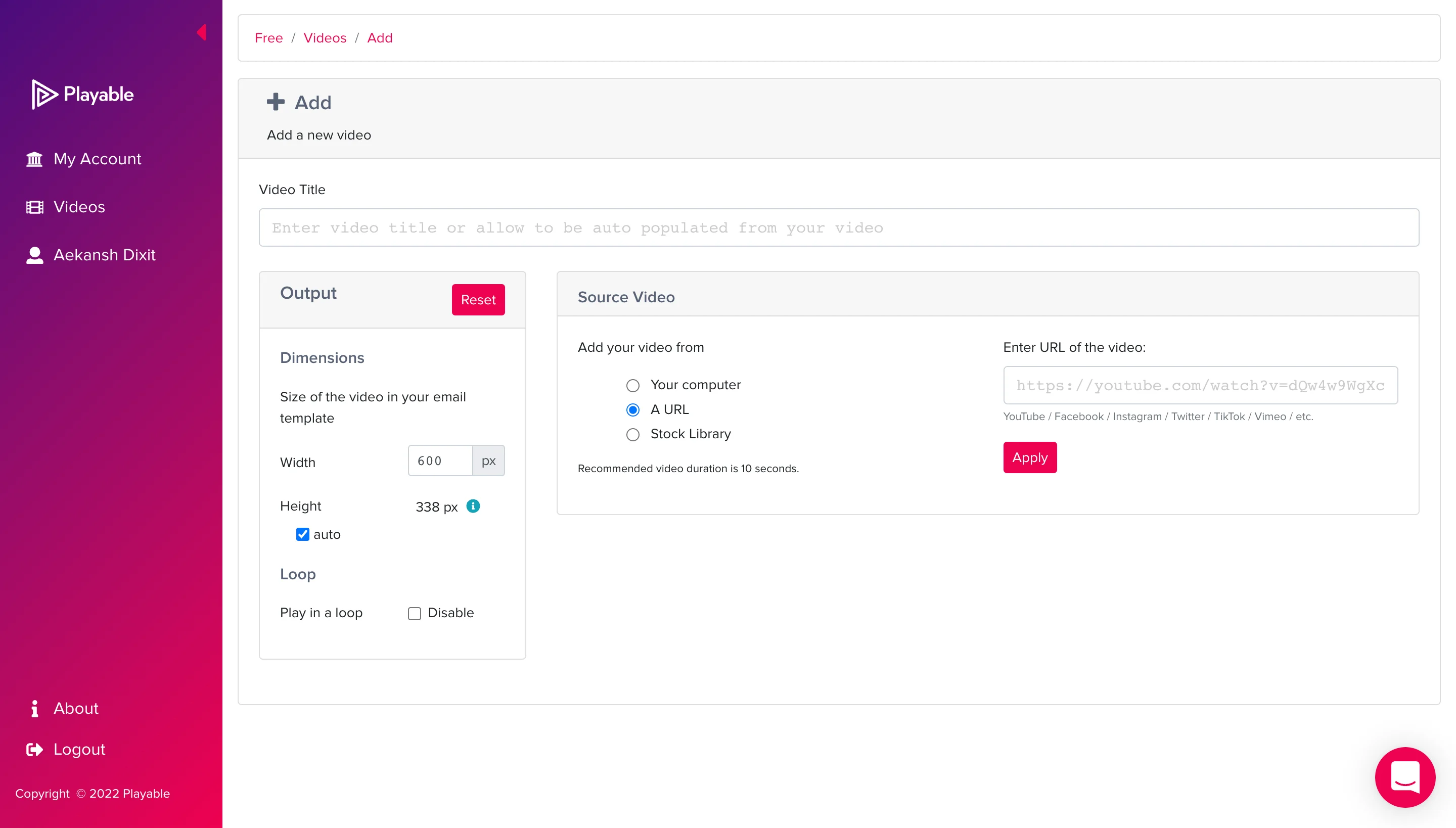
- Click on “Add a video”.
- On the next screen, enter a Video Title, choose your output settings, and source video. You can either upload your own videos, choose from a stock library, or even enter a URL from YouTube, Facebook, Instagram, Twitter, TikTok, Vimeo, etc.
Playable has an upper limit of 10 seconds per video. You can also choose to edit or trim your video as per your requirements on the subsequent screens.
Step 2: Get the embed code from Playable
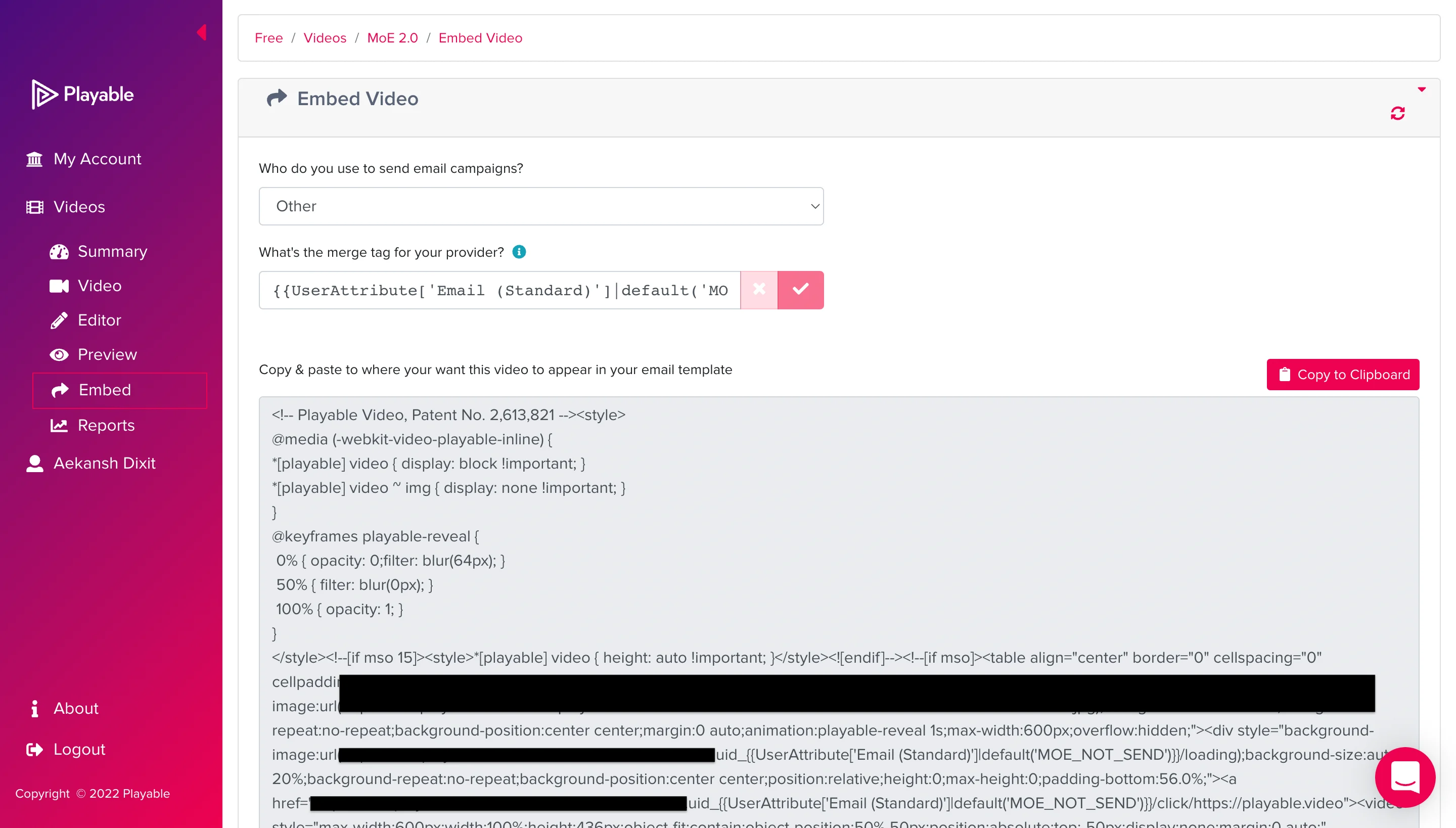
- Choose “Other” for “Who do you use to send email campaigns?”.
- For “What’s the merge tag for your provider?”, type:
Step 3: Paste the code inside MoEngage Campaigns
To include the Playable code in your MoEngage campaign, on the step 2 of campaign creation-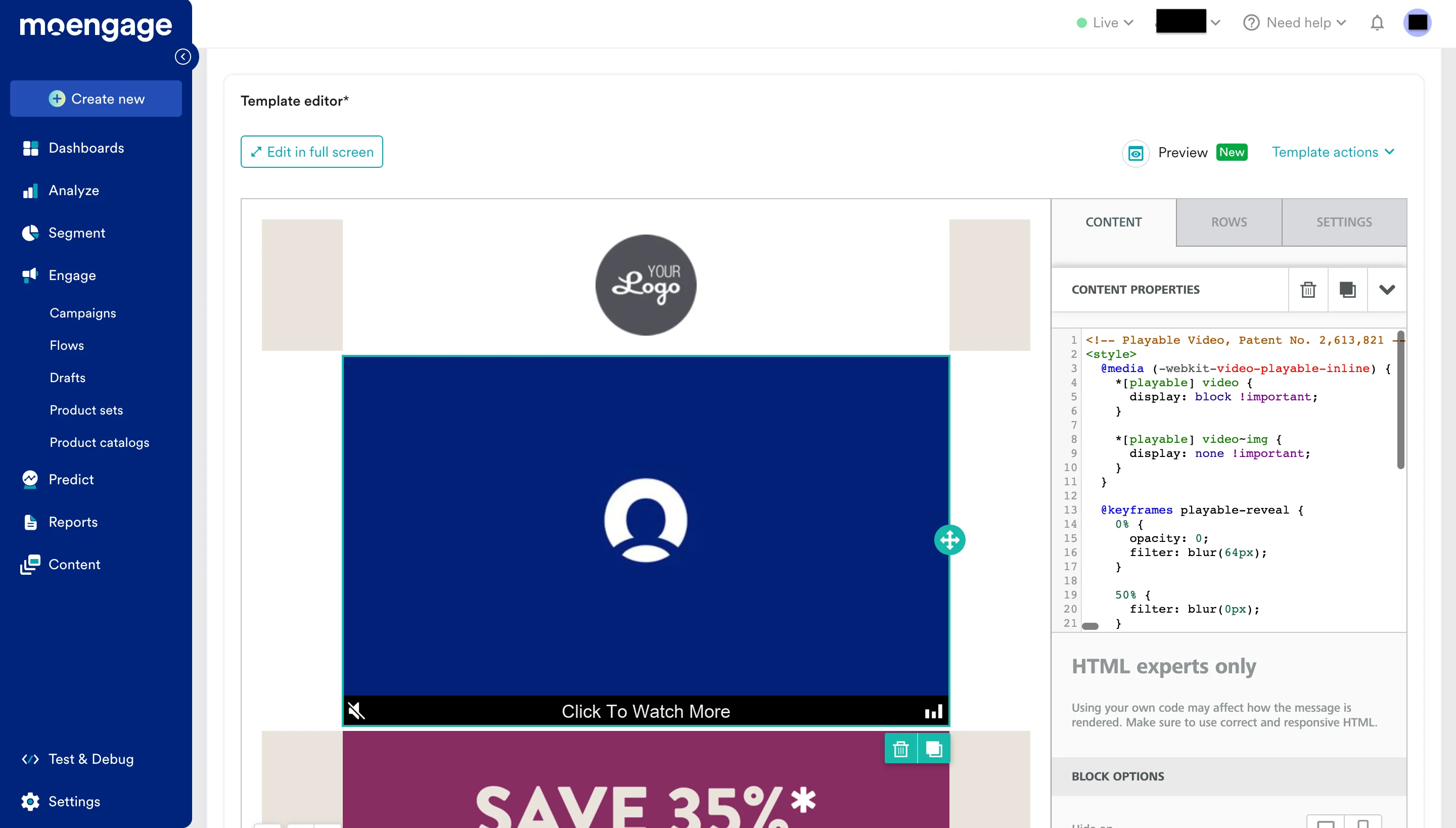
- Create a new HTML block
- Paste the copied code from Step 2.