

- Navigate to the MoEngage Dashboard > Settings > Advanced Settings.
- Click Content API.
-
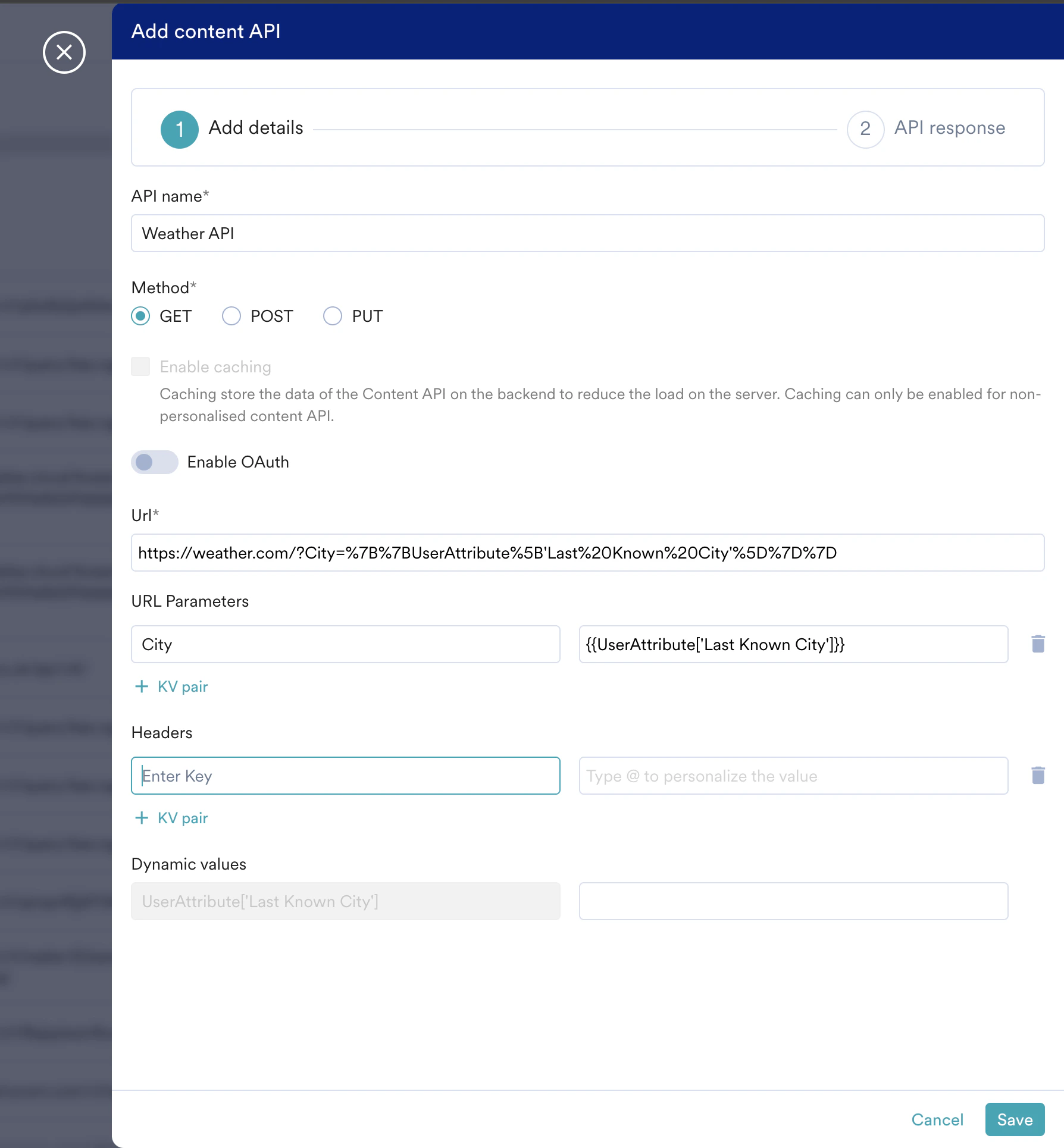
Click + Add content API. The Add content API screen pops up.
-
Fill in the following details:
-
To personalize the parameters, type @ and use the user properties for personalization.
For more information, refer to Derived Events & Attributes.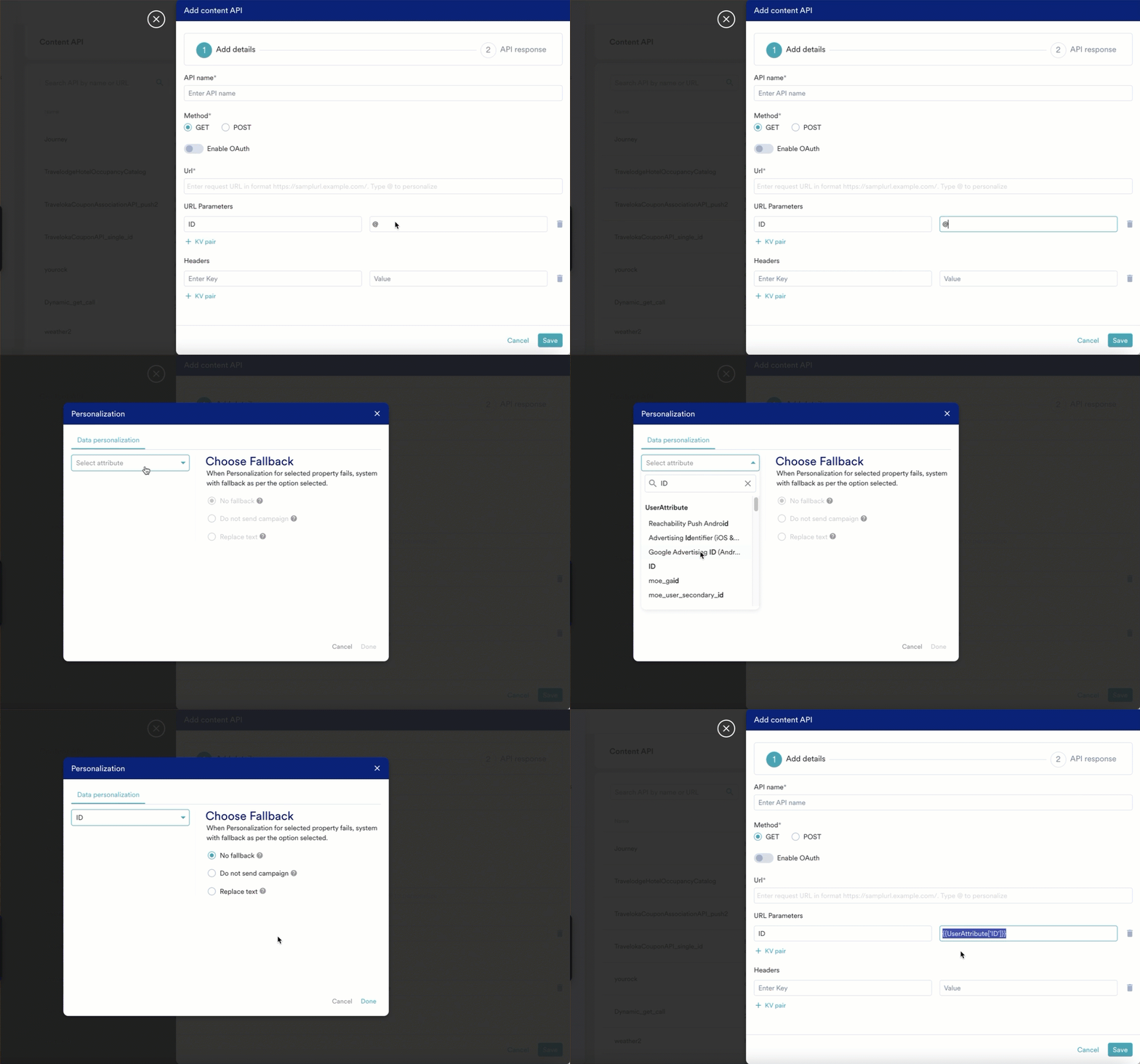
Add a Content API
Add and configure a content API in MoEngage to use dynamic external data in your campaigns. Personalize API parameters with user properties.
To set up an API to be used during MoEngage campaigns, perform the following steps: