Introduction

Transifex is a Localization Automation Platform that helps developers and marketers publish digital content across multiple languages.

MoEngage and Transifex

The MoEngage and Transifex integration uses MoEngage’s Content APIs to fetch real-time translations from Transifex, letting you deliver high-quality, localized content in your campaigns. This automates translation work and frees your teams to focus on delivering excellent customer experiences.

Integration

Prerequisites
  • Access to your Transifex account.
MoEngage connects to Transifex’s REST API endpoints to fetch translations.

Step 1: Generate your Transifex bearer token

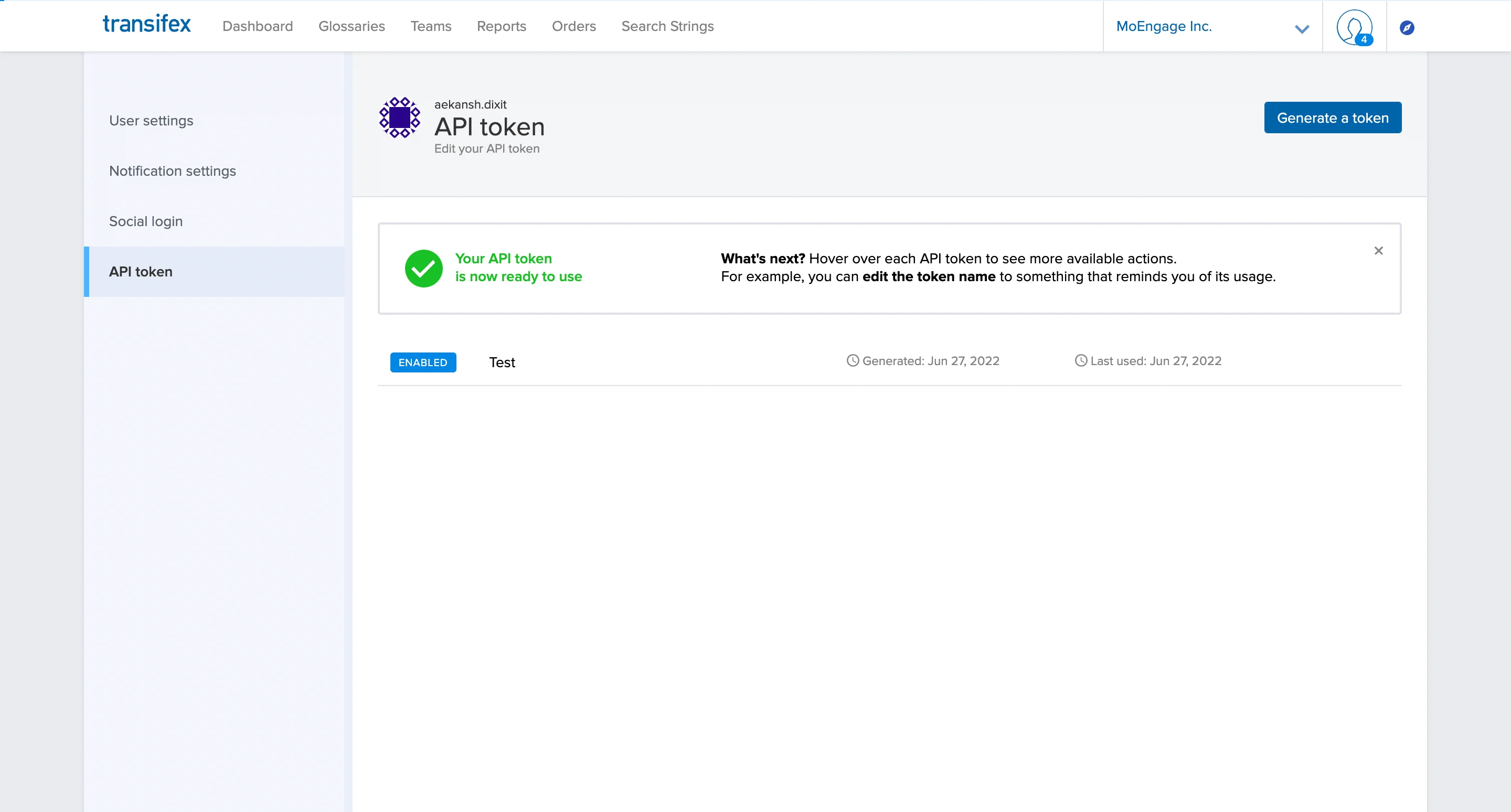
Get your bearer token from the Transifex dashboard under Settings > API token > Generate a token. Save the value securely — Transifex will not show it again. Transifex API token settings page with the Generate a token option
Step 2: Test your API results

Use the cURL request below to test your results and the order of the strings. You can also fetch translations by resource string key. For all configurations, see the Transifex API reference.
cURL
curl --request GET \
  'https://rest.api.transifex.com/resource_translations?filter[resource]=o:{ORGANISATION-SLUG}:p:{PROJECT-SLUG}:r:{RESOURCE-SLUG}&filter[language]=l:{LANGUAGE-SLUG}&filter[resource_string][key]={RESOURCE-STRING-KEY}' \
  --header 'Accept: application/vnd.api+json' \
  --header 'Authorization: Bearer {YOUR-BEARER-TOKEN}'
Replace the placeholders with your actual values before testing. A sample response looks like this:
{
    "data": [
        {
            "type": "resource_translations",
            "id": "o:****:p:****:r:****:s:****:l:hi_IN",
            "attributes": {
                "strings": {
                    "other": "नमस्ते और Transifex में आपका स्वागत है!"
                },
                "reviewed": true,
                "proofread": false,
                "finalized": true,
                "datetime_created": "2022-06-27T01:33:10Z",
                "datetime_translated": "2022-06-27T01:52:19Z",
                "datetime_reviewed": "2022-06-27T01:52:22Z",
                "datetime_proofread": null
            },
            "relationships": {
                "resource": {
                    "data": {
                        "type": "resources",
                        "id": "o:****:p:****:r:****"
                    },
                    "links": {
                        "related": "https://rest.api.transifex.com/resources/o:****:p:****:r:****"
                    }
                },
                "language": {
                    "data": {
                        "type": "languages",
                        "id": "l:hi_IN"
                    },
                    "links": {
                        "related": "https://rest.api.transifex.com/languages/l:hi_IN"
                    }
                },
                "translator": {
                    "data": {
                        "type": "users",
                        "id": "u:aekansh.dixit"
                    },
                    "links": {
                        "related": "https://rest.api.transifex.com/users/u:****"
                    }
                },
                "reviewer": {
                    "data": {
                        "type": "users",
                        "id": "u:****"
                    },
                    "links": {
                        "related": "https://rest.api.transifex.com/users/u:****"
                    }
                },
                "proofreader": null,
                "resource_string": {
                    "data": {
                        "type": "resource_strings",
                        "id": "o:****:p:****:r:****:s:****"
                    },
                    "links": {
                        "related": "https://rest.api.transifex.com/resource_strings/o:****:p:****:r:****:s:****"
                    }
                }
            },
            "links": {
                "self": "https://rest.api.transifex.com/resource_translations/o:****:p:****:r:****:s:****:l:hi_IN"
            }
        }
    ],
    "links": {
        "self": "https://rest.api.transifex.com/resource_translations?filter[resource]=o:****:p:****:r:****&filter[language]=l:hi_IN&filter[resource_string][key]=****",
        "next": null,
        "previous": null
    }
}

Step 3: Set up Content APIs in the MoEngage dashboard

Use MoEngage Content APIs to add Transifex as a data source. You can add multiple APIs from Transifex at the same time, one for each use case.
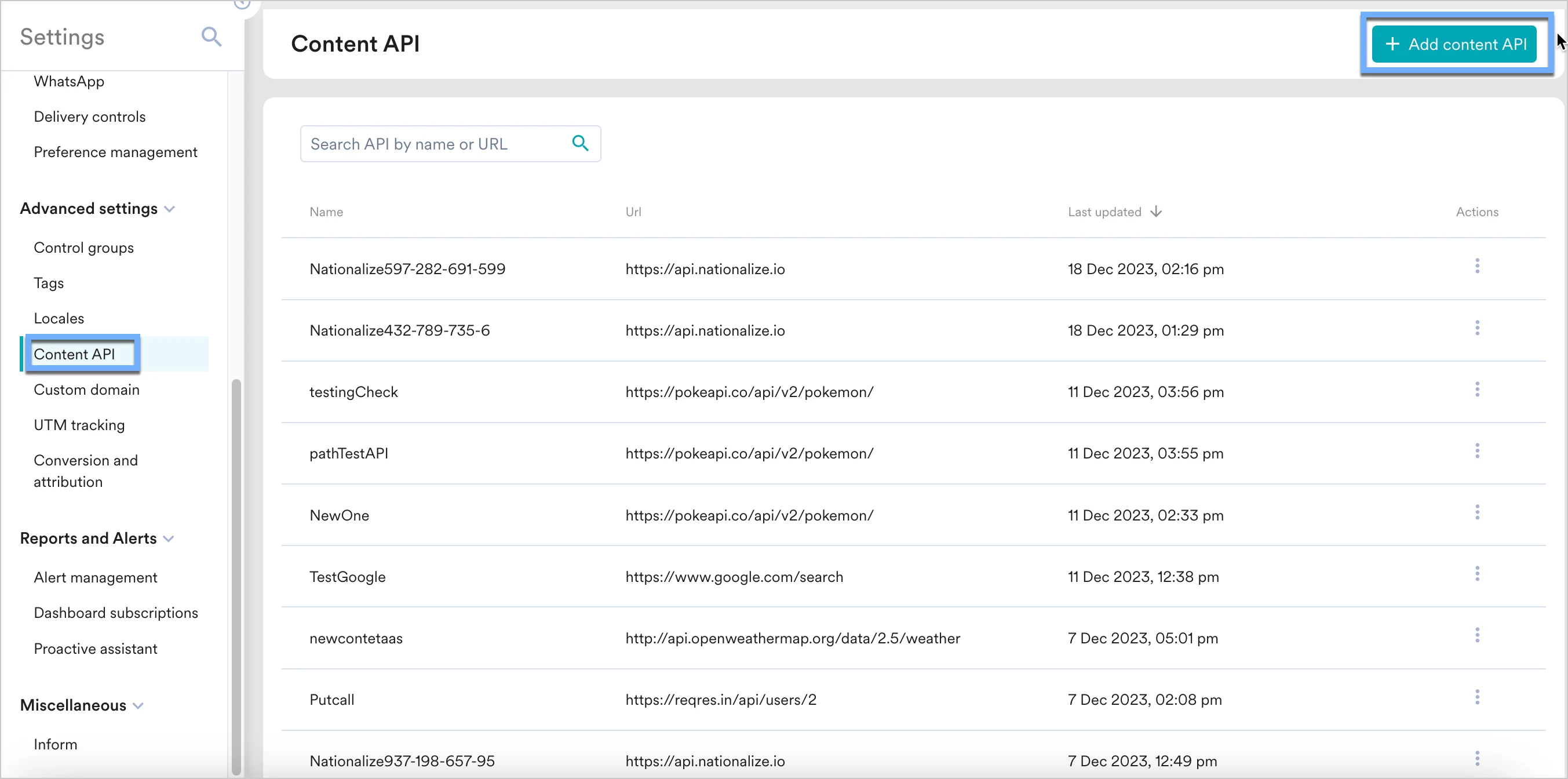
  1. Navigate to Settings > Advanced settings > Content API. Click + Add content API in the upper-right corner of the Content API screen. MoEngage Content API screen with the Add content API button highlighted
  2. Add your Transifex API to the endpoint URL. API URL
    https://rest.api.transifex.com/resource_translations
    
    Headers
    ParameterDescriptionExample
    AuthorizationRequired. API bearer key.Bearer SGVyZSBpcyBhbiBleGFtcGxlIG9mIHlvdXIgQVBJIGtleS4=
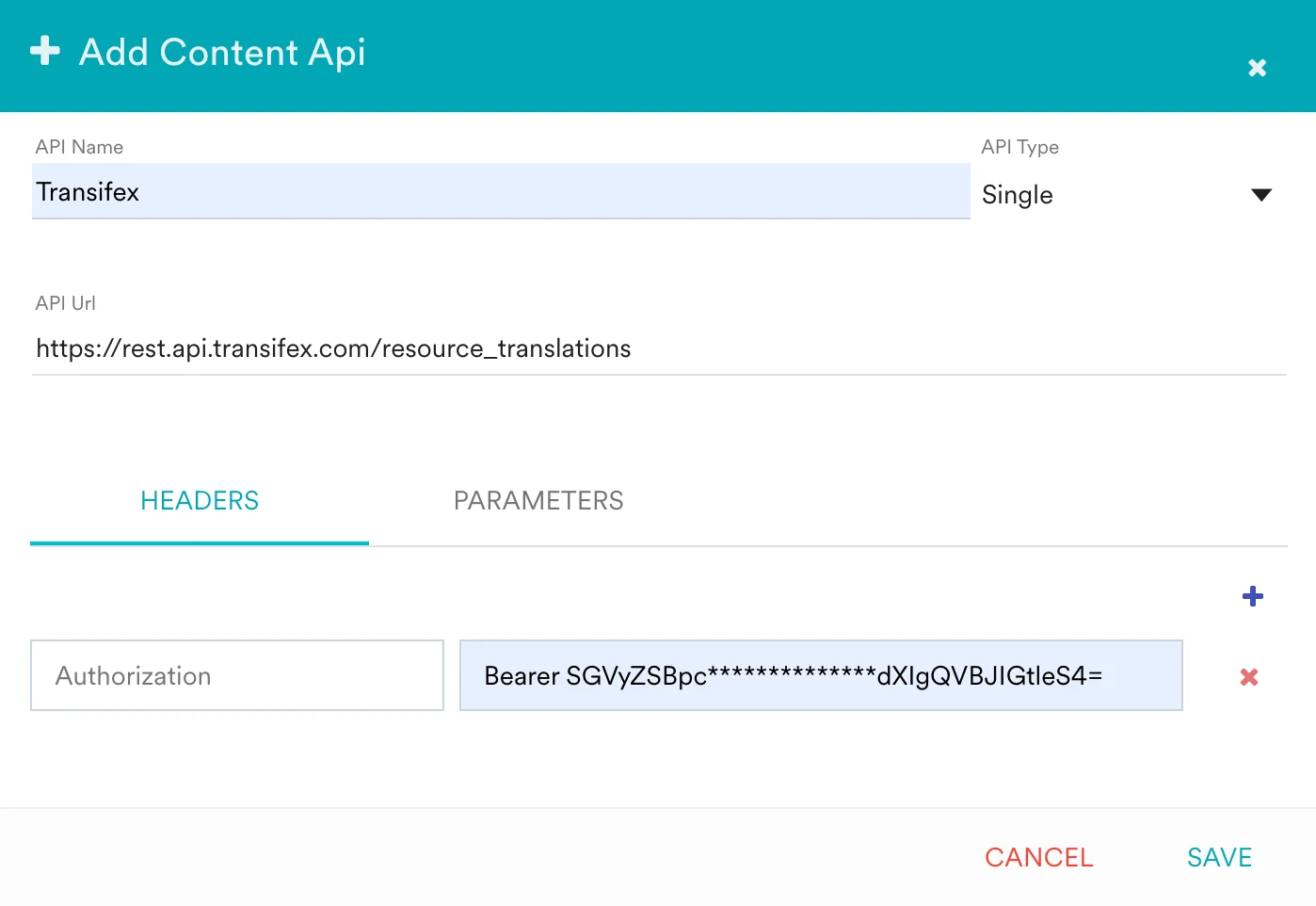
    Headers section of the MoEngage Content API configuration with Authorization set to a bearer token
    Parameters
    ParameterDescriptionExample
    ---------
    filter[resource]The resource filter.o:organization_slug:p:project_slug:r:resource_slug
    filter[language]Filter by language.l:en_US
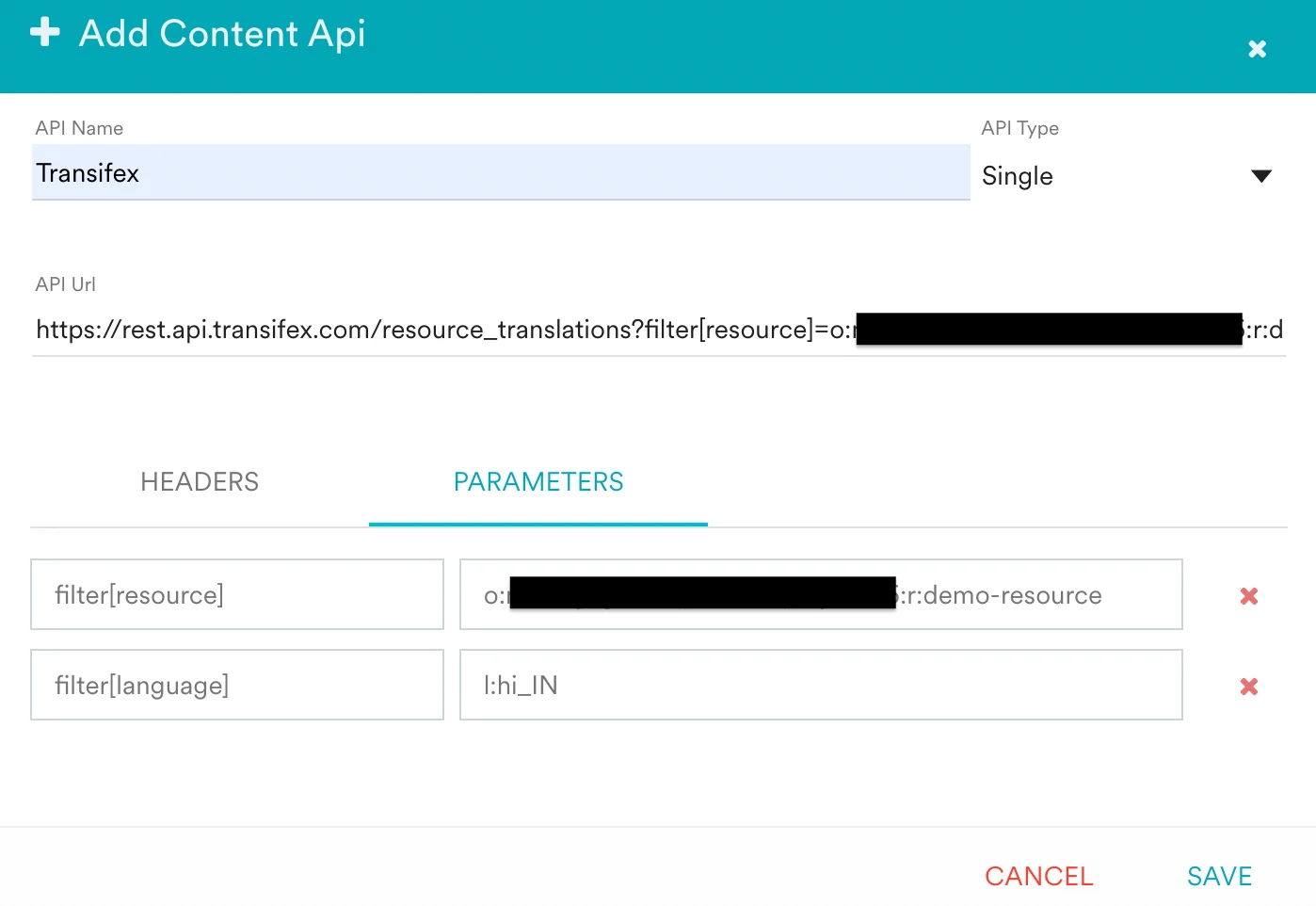
    Parameters section of the MoEngage Content API configuration with the resource and language filters set
  3. Click Save. Your Transifex API now appears in MoEngage.
Click Test on the Content API to validate the response before using it in a campaign.

Step 4: Use Content APIs in MoEngage campaigns

You can now use this Content API in your campaigns. For more information, see Content APIs.
  1. On step 2 of campaign creation, type @.
  2. In the personalization pop-up, select the Content API you configured in Step 3.
  3. Use the MoEngage Templating Language to parse the API response and use the content in your campaign.
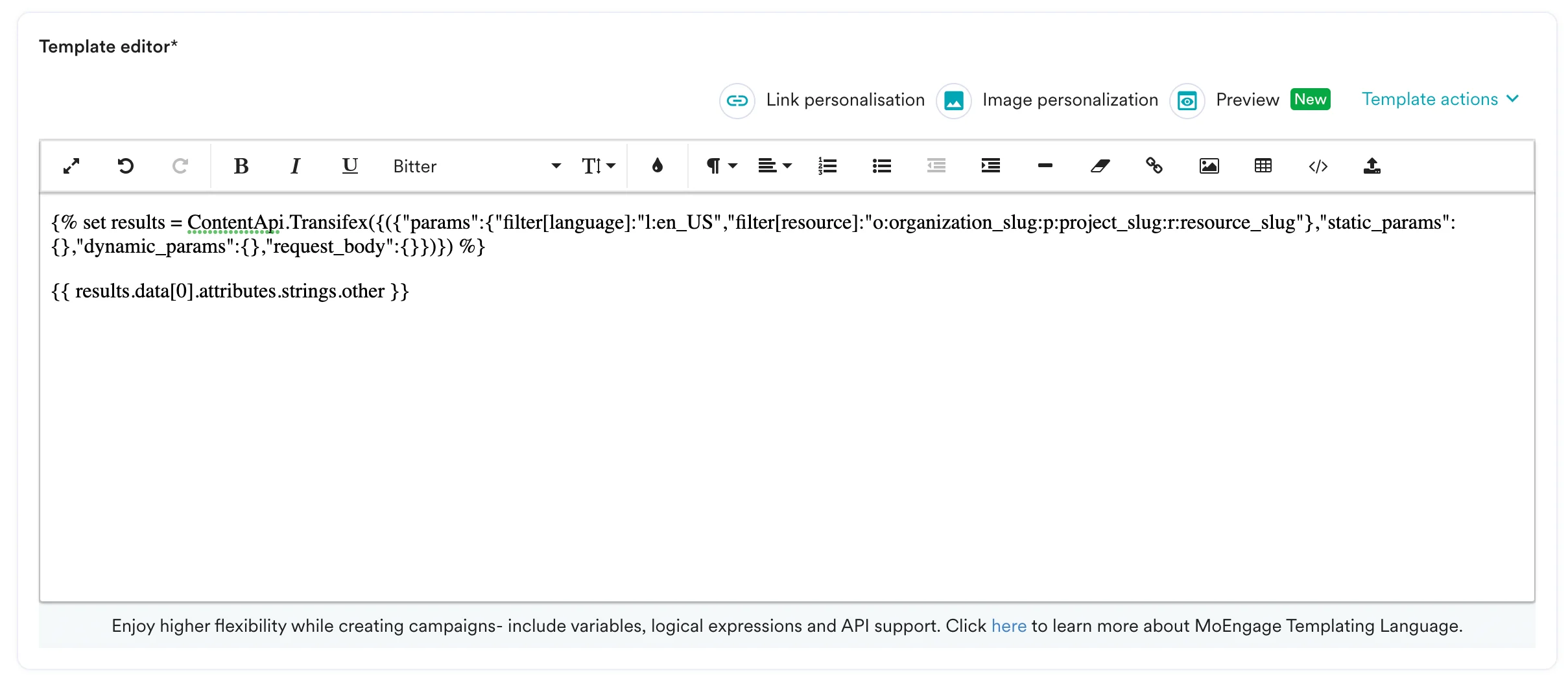
MoEngage editor with Transifex translations being inserted using JINJA