

Introduction
Delighted is a turnkey customer experience platform that helps brands drive business growth with actionable feedback.MoEngage × Delighted
Delighted is a tool for gathering real-time, actionable customer feedback via email, web, or SMS. With the MoEngage and Delighted Integration, you can:- Send your Delighted surveys to your users when MoEngage captures an event.
- Add users to Autopilot when they perform a particular event on your app or website.
Integration
Prerequisites
- You would need to know your Private API Key linked to your Delighted account.
Trigger Delighted survey deliveries via MoEngage
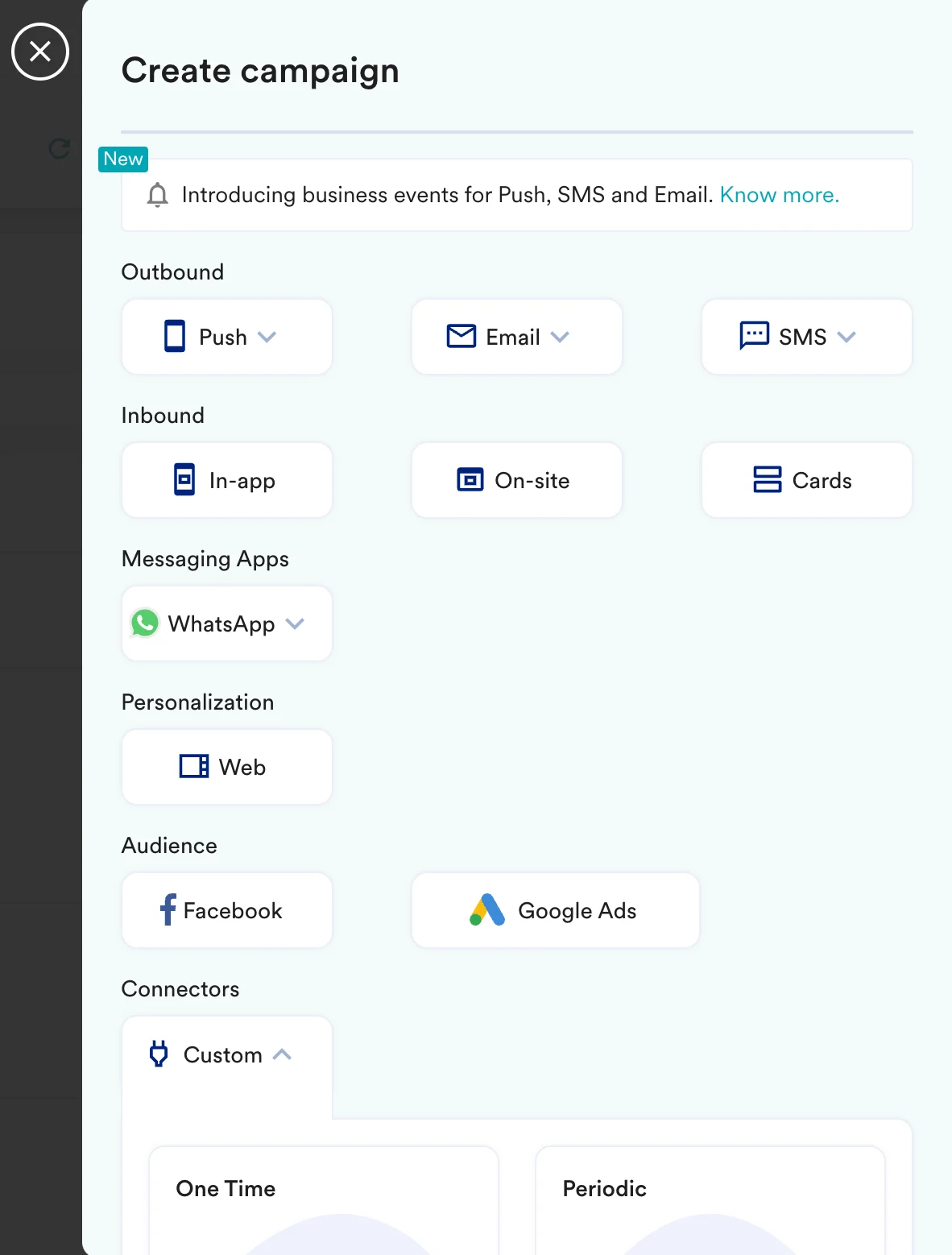
With MoEngage’s Connector Campaigns, you can send a Delighted survey to your users when they perform any action on your app or website. To create a connector campaign on MoEngage:- Navigate to Create Campaign >> Connectors >> Custom and choose the delivery type most suitable to your needs. For this example, we will select “Event Triggered” and select the event as “Purchased”.
- On step 2 of the campaign:
Call the Delighted API
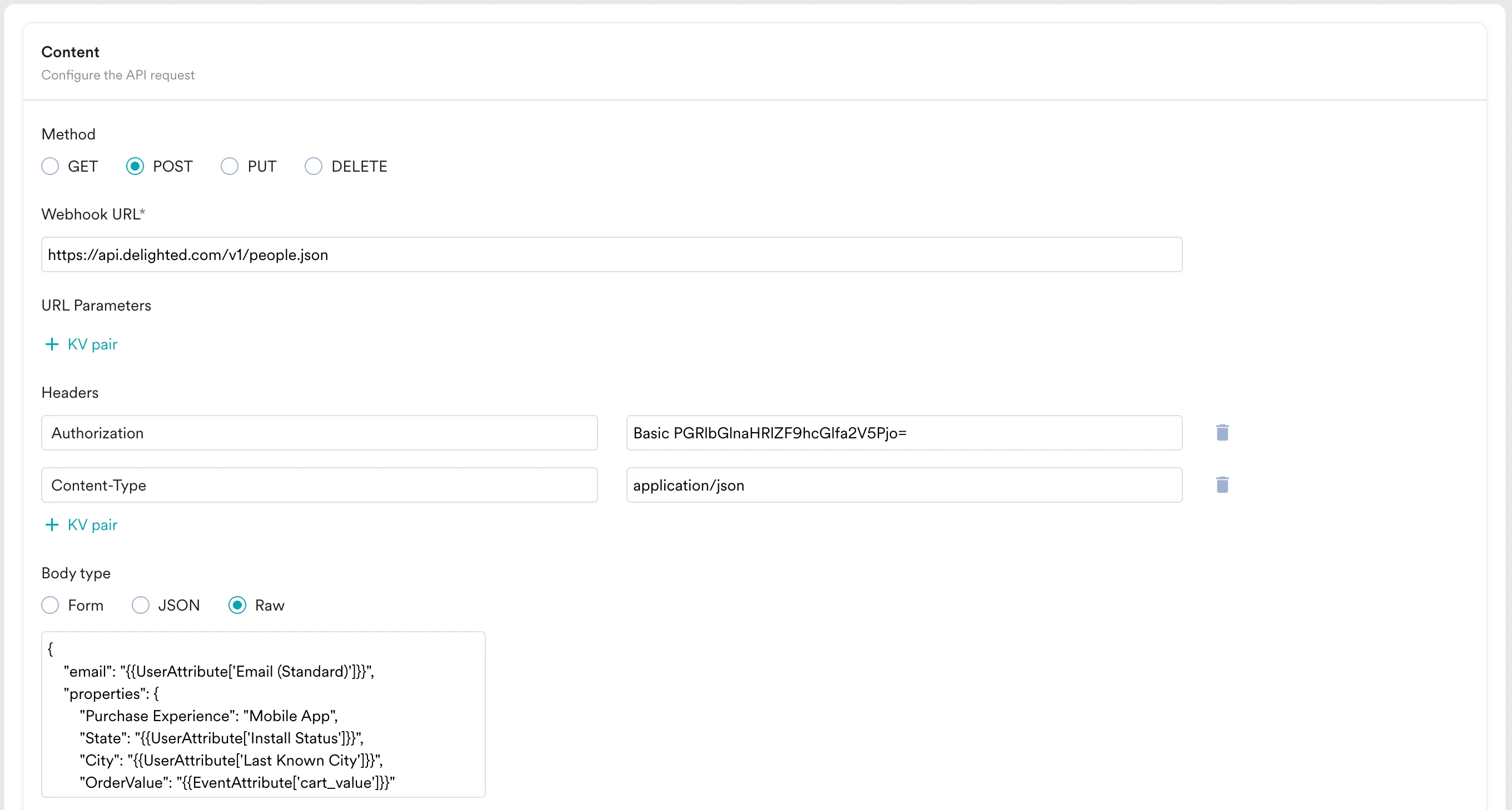
To send your survey, use thePOST method and configure the payload.
- Select the method as POST
- Headers
Authorization: Use an online tool to create your basic auth with yourDelighted API Keyas a username and keeping your password as blank: In the above example, the value of this header would be
 Basic PGRlbGlnaHRlZF9hcGlfa2V5Pjo=Content-Type:application/json
- Add the endpoint as Webhook URL:
https://api.delighted.com/v1/people.json - Body: Type @ to personalize your payload.
- Refer to the Delighted API documentation for more information.
- You can test your campaign on this step.
- Once ready, you can go ahead and publish this campaign.