

Edit Recommendations
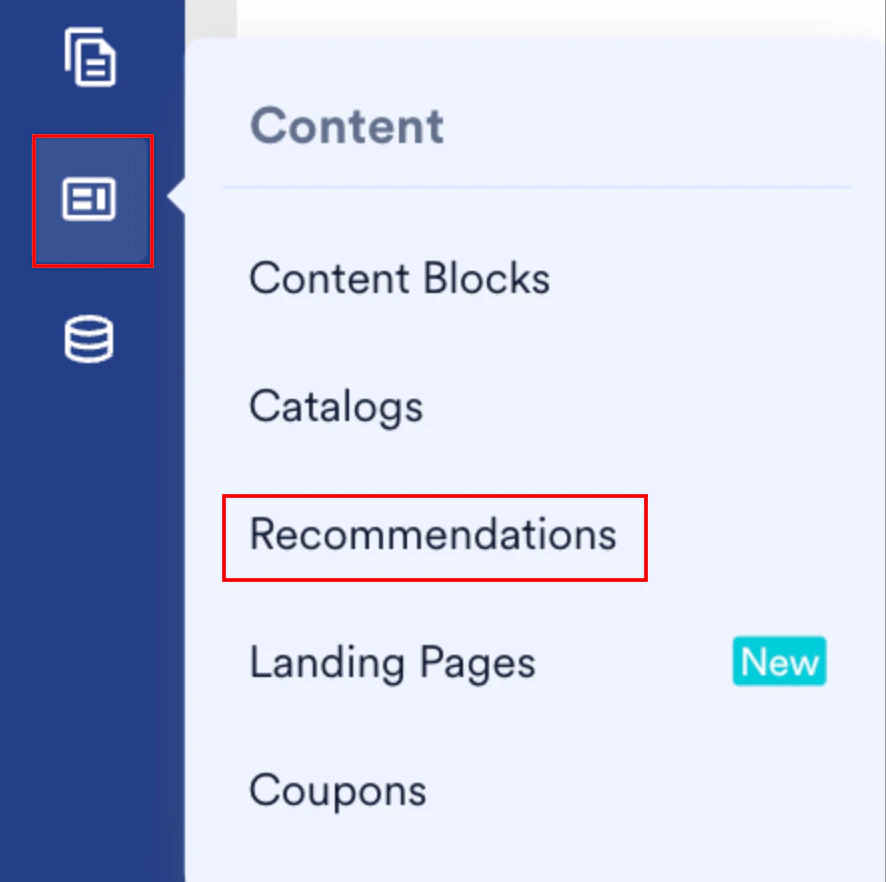
To edit a recommendation, perform the following steps:- On the sidebar menu in MoEngage, hover over the Content menu item
 . The Content menu appears.
 - Click Recommendations.
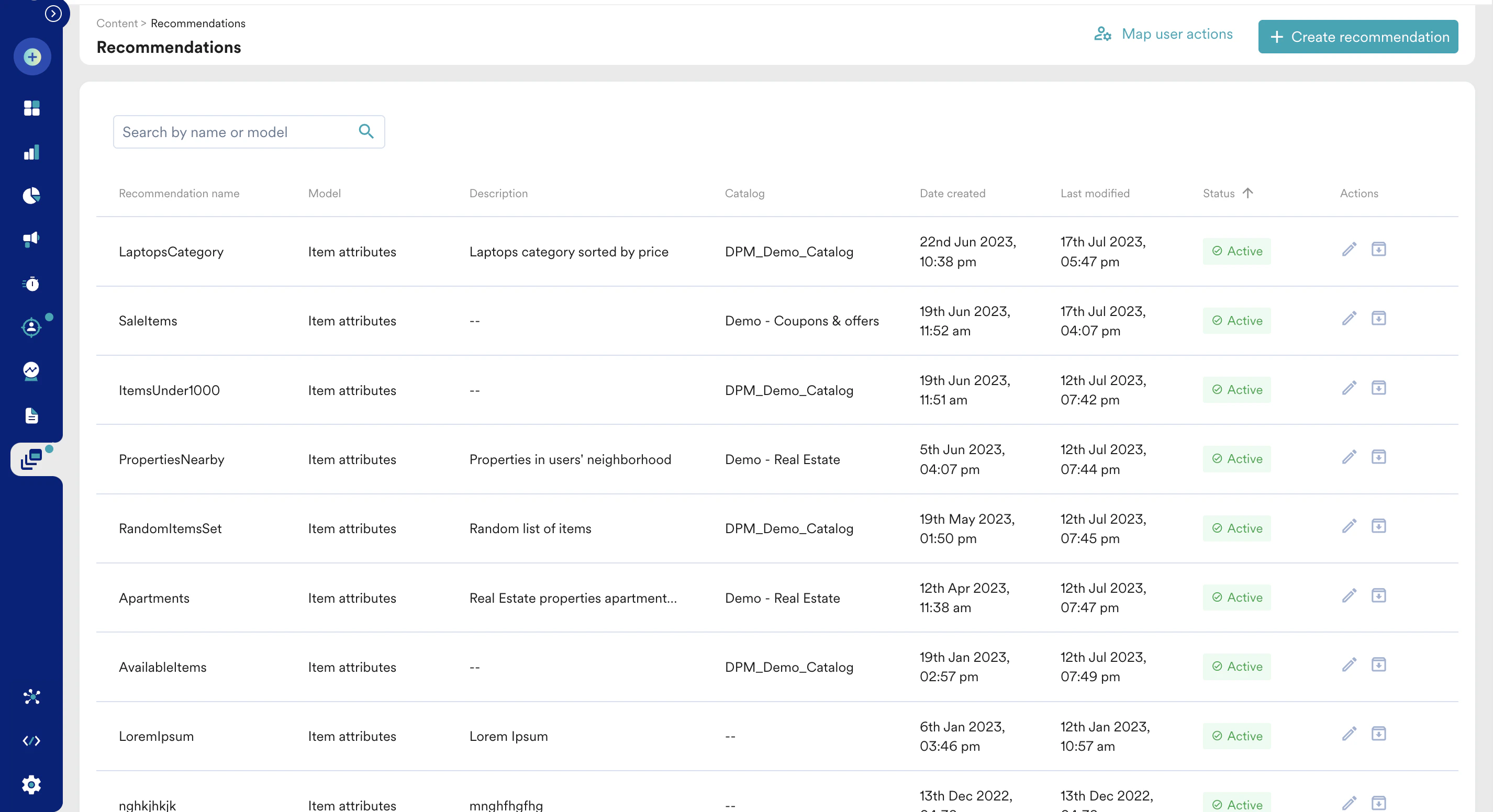
- Click the pencil icon for the required recommendation to edit it. The Edit Recommendation page is displayed.
- Choose the configuration you want to update, make the desired changes, and click Save at the bottom of the page.
Archive or Unarchive
You can disable an active recommendation on the Recommendations page by clicking the Archive icon in the Actions column. You can enable an archived recommendation by clicking the Unarchive icon in the Actions column.
Archived recommendations do not return any results. Any active campaign referencing an archived recommendation displays no items. To prevent this, ensure a fallback is configured in your campaigns.