

How does this help?
MoEngage values your suggestions and keeps you in the loop when we review or update your ideas or requests. It also allows you to:- Get timely feedback on requests from product decision-makers
- Gain greater insight into upcoming releases
- Increase your impact on feature development
Submit a product idea
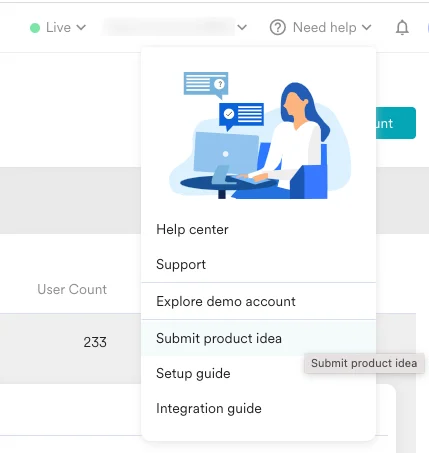
Perform the following steps to suggest a feature or a product idea:- On the MoEngage Dashboard, click Need help on the top navigation bar.
- Click Submit product idea. You are taken to the Feedback Portal.
- In the left navigation panel, you see three sections:
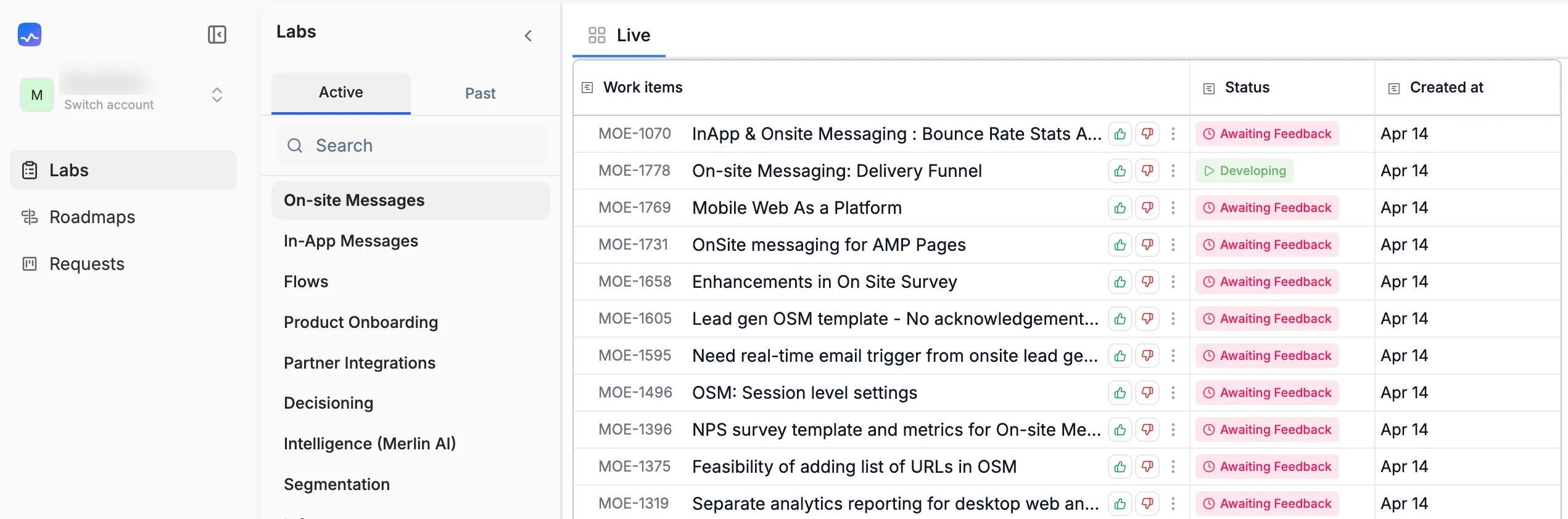
- Labs: View submitted requests that have been converted into work items, organized by product areas. You can filter by Active or Past items, search for specific work items, and upvote or comment on them.
- Roadmaps: View the roadmap of features and enhancements planned for future quarters for any product area.
.png?fit=max&auto=format&n=ZgomJfGJJyXhJzbf&q=85&s=843cbde27b5b09de5163efbf5d55bccd "Image (6)")
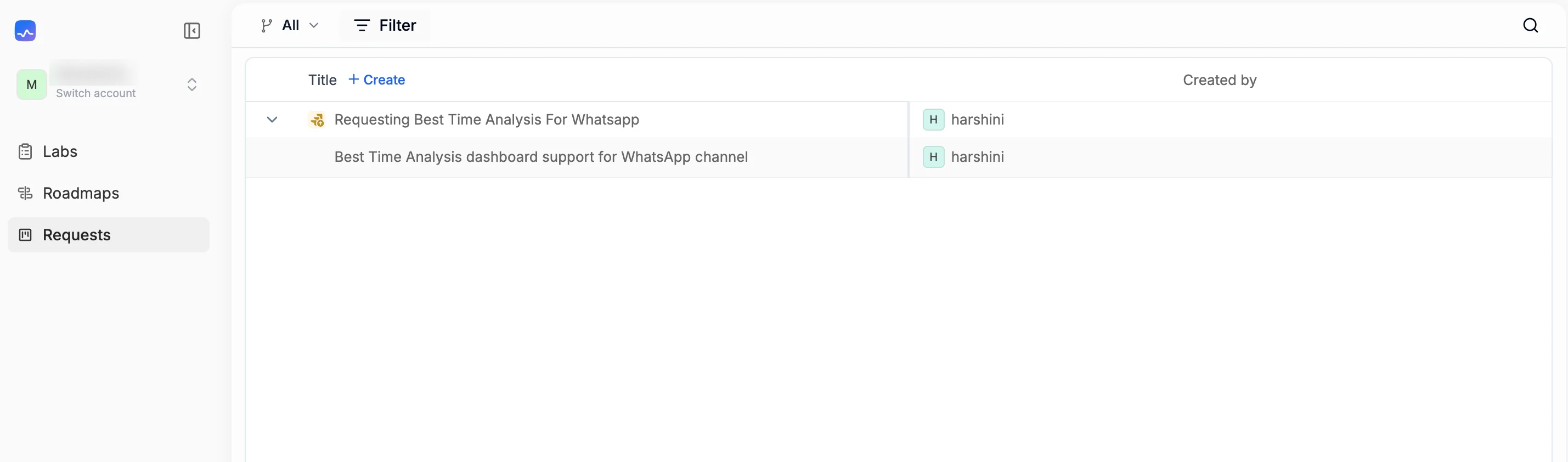
- Requests: View all submitted requests for your workspace and create new ones. Each request shows the title, created date, insights count, and the name of the requester.
Create a request
To submit a new feature request or product idea:- On the MoEngage Dashboard, click Need help on the top navigation bar.
- Click Submit product idea. The Feedback Portal opens.
- In the left navigation panel, click Requests. A list of all previously submitted requests for your workspace appears.
- Click + Create. The Create a ticket window appears.
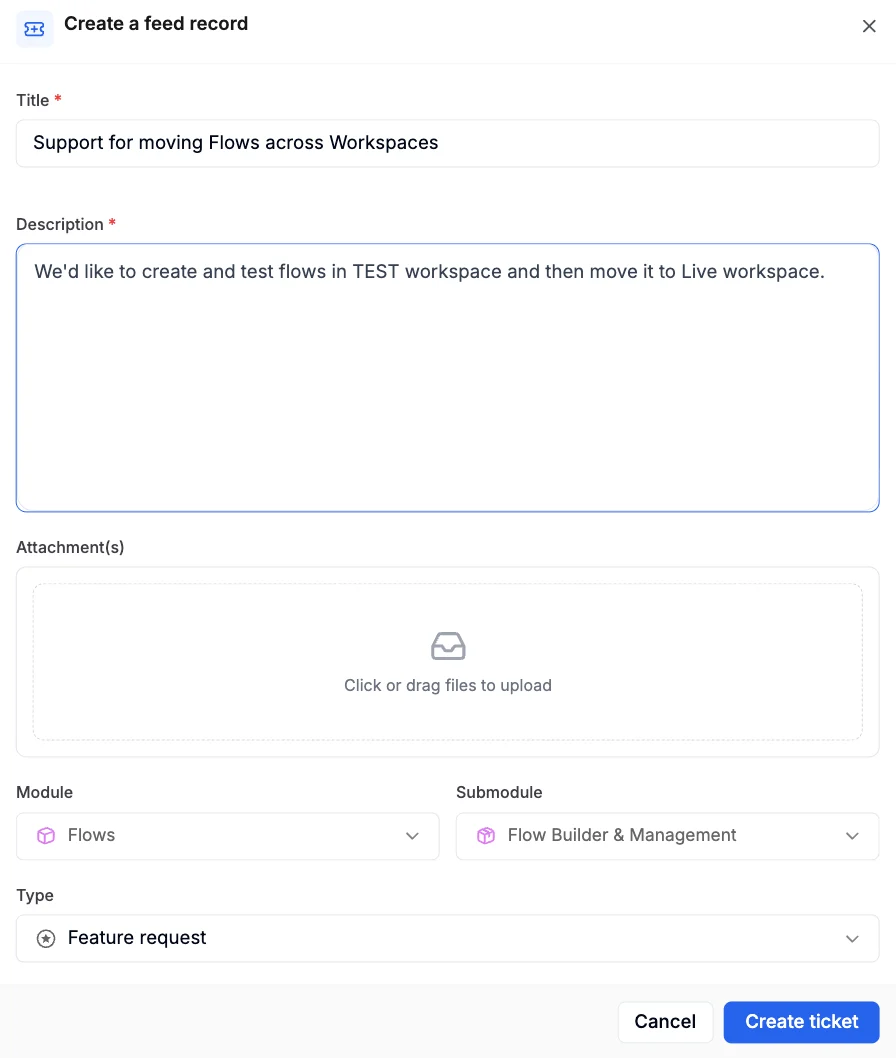
- Fill in the following fields:
- Click Create ticket. The ticket is created and appears in the Requests list.
View and track requests
After submitting a request, you can track it from the Requests section. The requests list shows the following details for each entry:
You can use the All dropdown, the Filter option, or the search icon to narrow down the list of requests.
Labs
- Click Labs in the left navigation panel to view requests that have been converted into work items.
- Use the Active and Past tabs to switch between ongoing and completed work items.
- You can search for specific items, upvote work items you find valuable, and add comments to share additional context.
Roadmaps
Click Roadmaps in the left navigation panel to view the planned features and enhancements for upcoming quarters.Feature status
The following are the statuses you see for every feature request you have submitted.
If you have any questions about this process, write to us at product@moengage.com.