

Introduction
Qualtrics is a CXM platform that focuses on collecting, organizing, and understanding important data relative to customers.MoEngage × Qualtrics
The Qualtrics survey tool makes it easy to get answers to your most important marketing, branding, customer, and product questions, with easy-to-use tools that can handle everything from simple customer feedback questionnaires to detailed research projects. With the MoEngage and Qualtrics Integration, you can:- Distribute your Qualtrics surveys to your users when MoEngage captures an event.
Integration
Prerequisites
- You would need to know your Qualtrics API token.
Create Qualtrics distributions via MoEngage
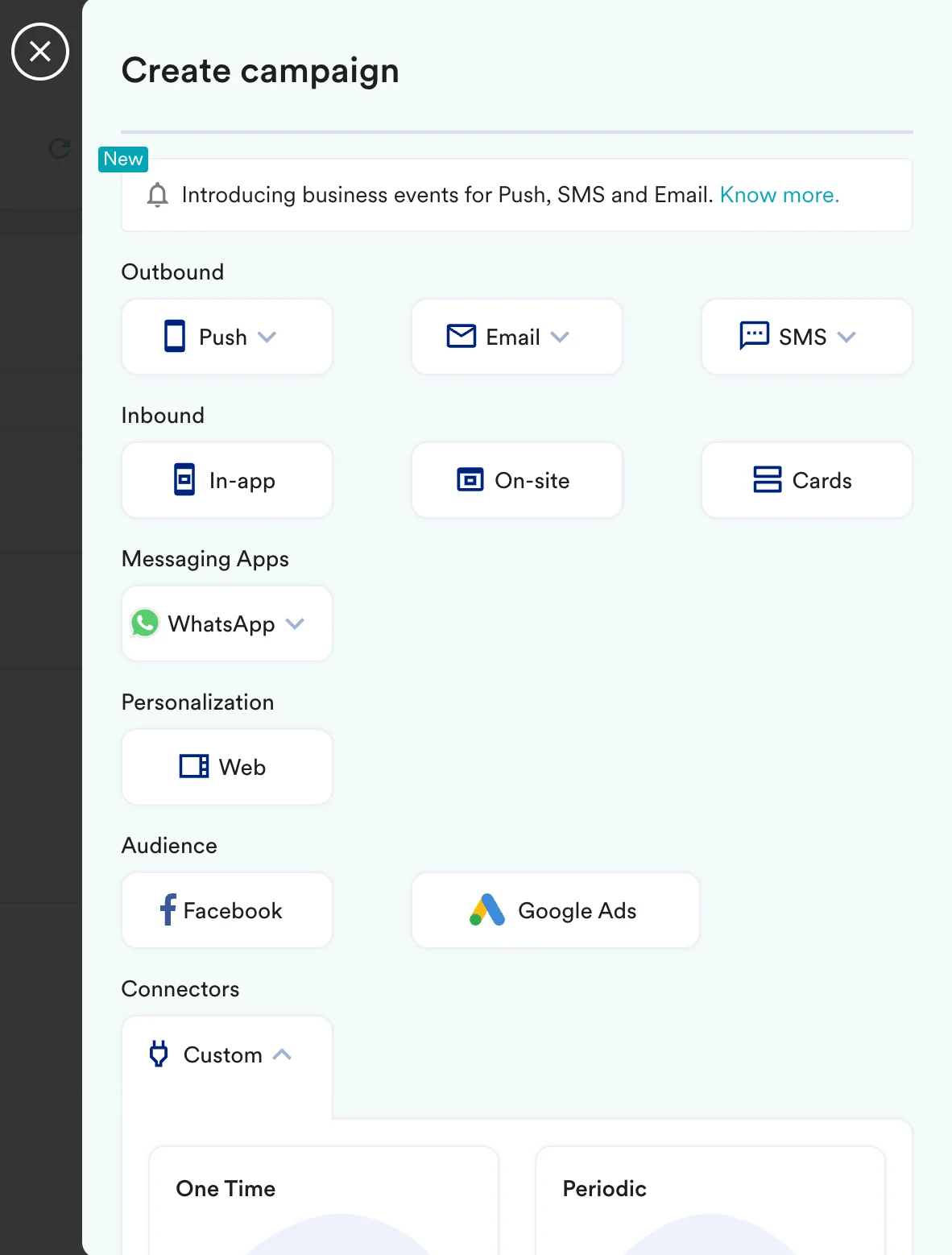
With MoEngage’s Connector Campaigns, you can create a distribution of your Qualtrics survey and send it to your users when they perform any action on your app or website. To create a connector campaign on MoEngage:- Navigate to Create Campaign >> Connectors >> Custom and choose the delivery type most suitable to your needs. For this example, we will select “Event Triggered” and select the event as “Purchased”.
- On step 2 of the campaign:
Call the Qualtrics API
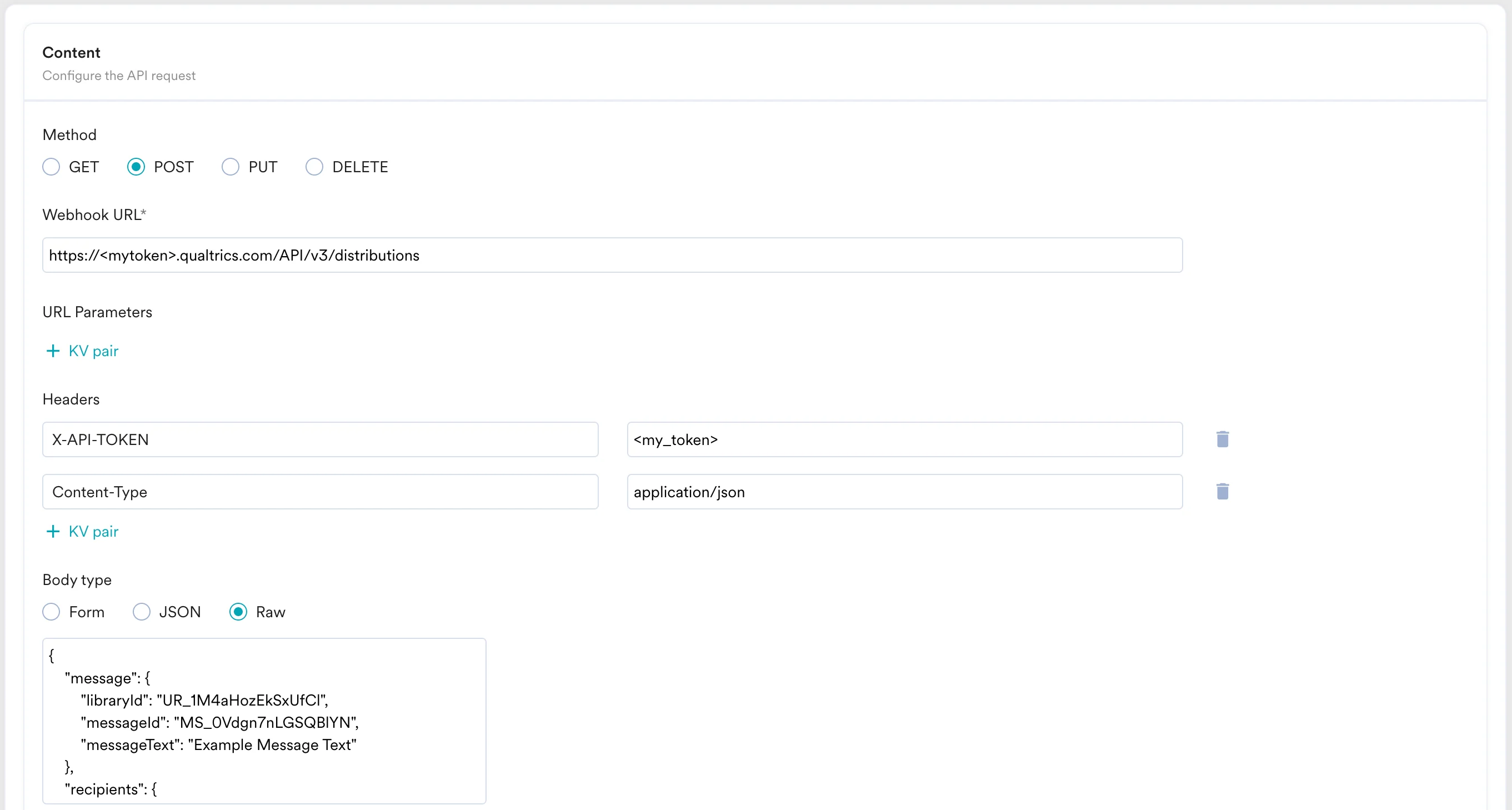
To send your survey, use thePOST method and configure the payload.
- Select the method as POST
- Headers
X-API-TOKEN: Insert your Qualtrics API Token.Content-Type:application/json
- Add the endpoint as Webhook URL:
https://<yourdatacenterid>.qualtrics.com/API/v3/distributions- Your data center ID can be found out from here. - Body: Type @ to personalize your payload. Below is an example:
- Refer to the Qualtrics API documentation for more information.
- You can test your campaign on this step.
- Once ready, you can go ahead and publish this campaign.