

MoEngage × Ticketmaster
The MoEngage × Ticketmaster integration allows you to dynamically pull live event data from Ticketmaster into your MoEngage campaigns via Content APIs. At send time, MoEngage calls the Ticketmaster Discovery API with each user’s location or preferences, retrieves upcoming events relevant to that user, and inserts the data directly into your campaign message, across email, push, SMS, in-app, and WhatsApp. Common use cases include surfacing upcoming concerts near a user’s city in a push notification, personalising email campaigns with sports fixtures for a user’s favourite team, or driving ticket sales by showing available events in a user’s genre of interest.Integration
PrerequisitesEnsure you have a Ticketmaster developer account with an active API key. Keys are free and available at developer.ticketmaster.com
Step 1: Get your Ticketmaster API key
On your Ticketmaster developer account:- Navigate to developer-acct.ticketmaster.com and sign in, or create a new account if you do not already have one.
- Once logged in, go to My Apps in the top navigation and select Add New App.
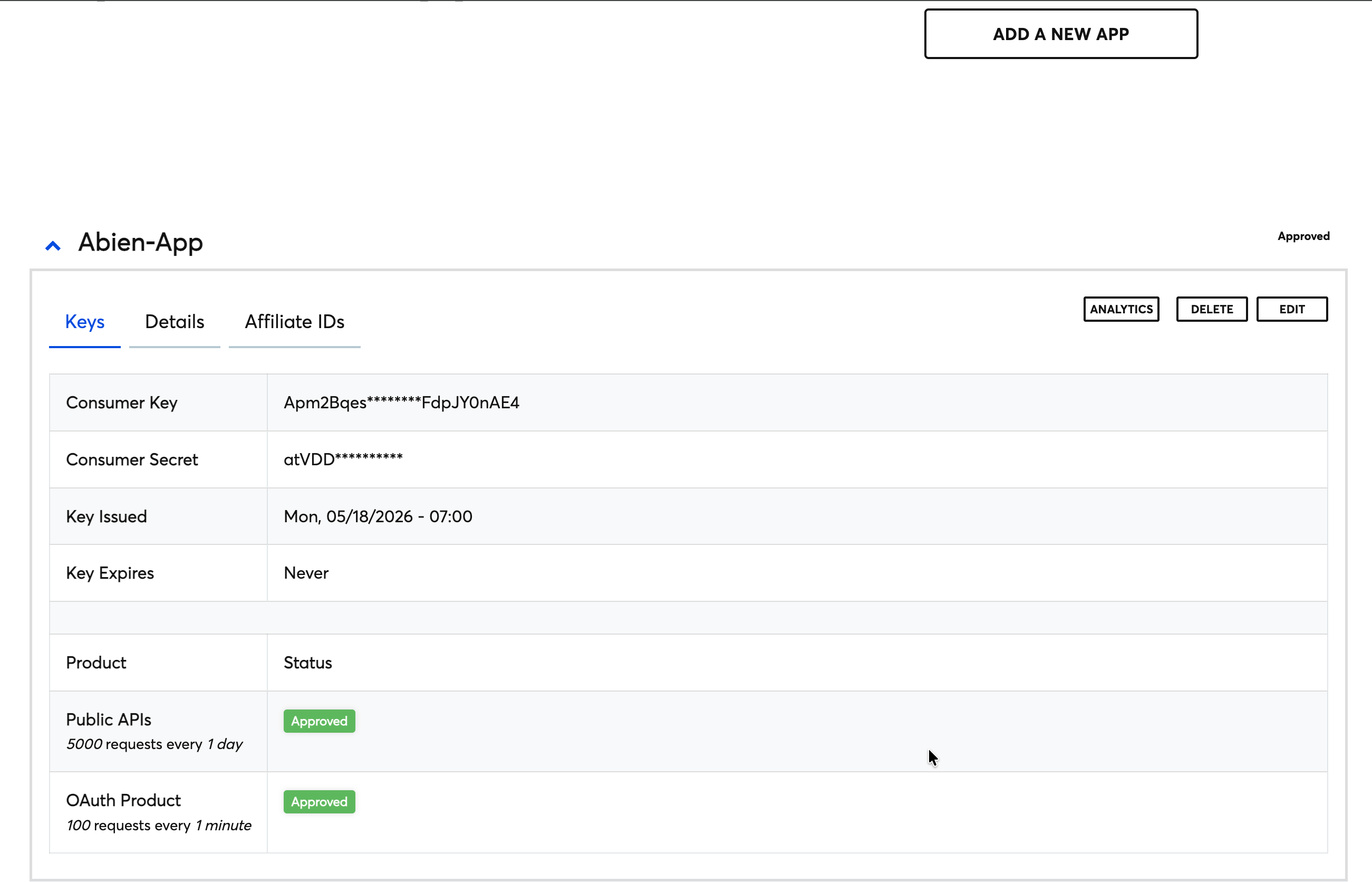
- Enter an app name and description, then select Submit. Ticketmaster will immediately generate an API key for your app.
- Copy the Consumer Key from your app dashboard, this is the value you will use as your
apikeyquery parameter. - Note the rate limit on your account tier. Free developer keys allow up to 5,000 API calls per day and 5 requests per second. If your send volumes exceed this, contact Ticketmaster to discuss a higher-tier plan.
Step 2: Set up the Content API on MoEngage
To connect the Ticketmaster Discovery API as a Content API in MoEngage:- Start by navigating to Dashboard > Settings > APIs and opening the Content API tab.
- Click Add Content API.
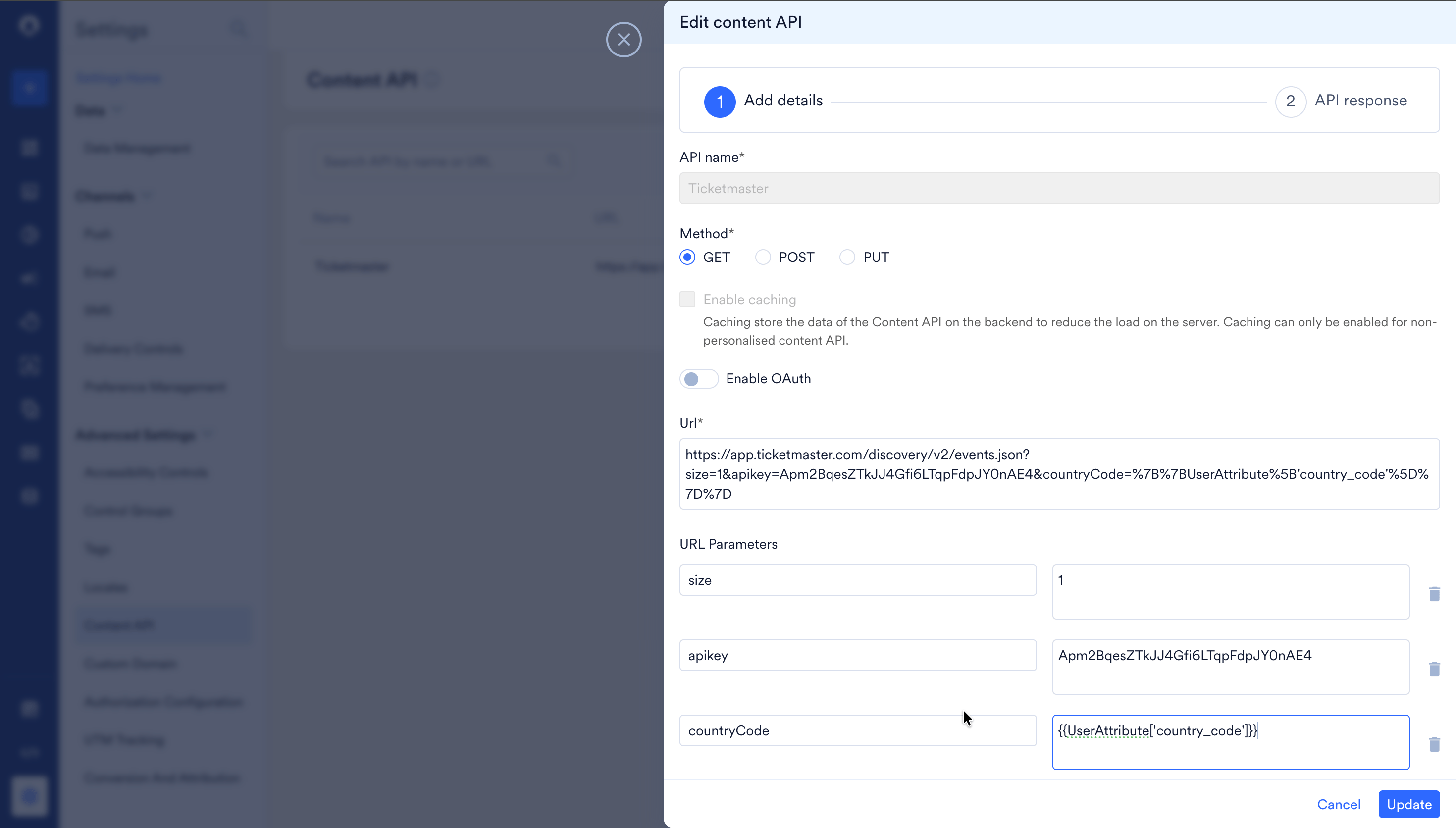
- Fill in the details using the table below as a reference.
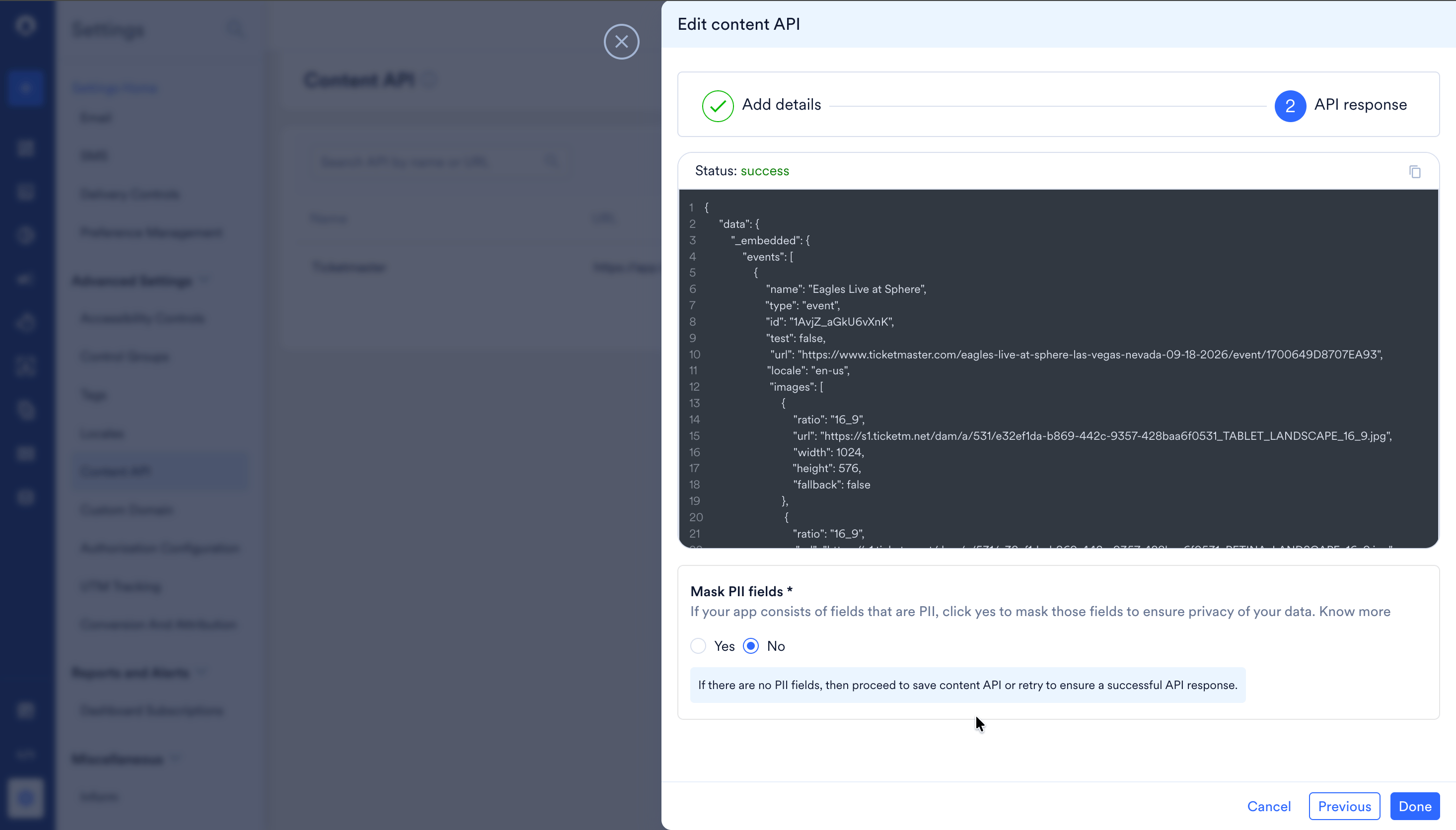
- Click Validate to confirm the platform returns a response, then click Save. The Content API is now available to reference inside any campaign across all supported channels.
NoteThe example URL above targets the
/events.json endpoint, which is the most commonly used endpoint for campaign personalisation. The Ticketmaster Discovery API also provides dedicated endpoints for venues, attractions, and classifications, use the relevant ones when your campaign requires venue details or artist metadata rather than event listings.Understanding the API response
When MoEngage calls the Ticketmaster Discovery API at send time, the response is a JSON object containing an_embedded.events array. Each object in that array represents one upcoming event. The fields most commonly referenced in campaign templates are shown below.