

Introduction
POPcoins is a currency that allows you to access exclusive offers and discounts when you shop on POPcoins partner websites.MoEngage × POPcoins
With the MoEngage and POPcoins integration, you can:- Send lifecycle events to MoEngage such as login, purchase, credit added, etc.
- Update the information of the customer name, email, and mobile number, as well as update their loyalty information such as coin balance, coins earned, etc. on MoEngage
Integration
Prerequisites
- You would need access to your POPclub dashboard.
- On your POPclub dashboard, go to Integrations >> MoEngage.
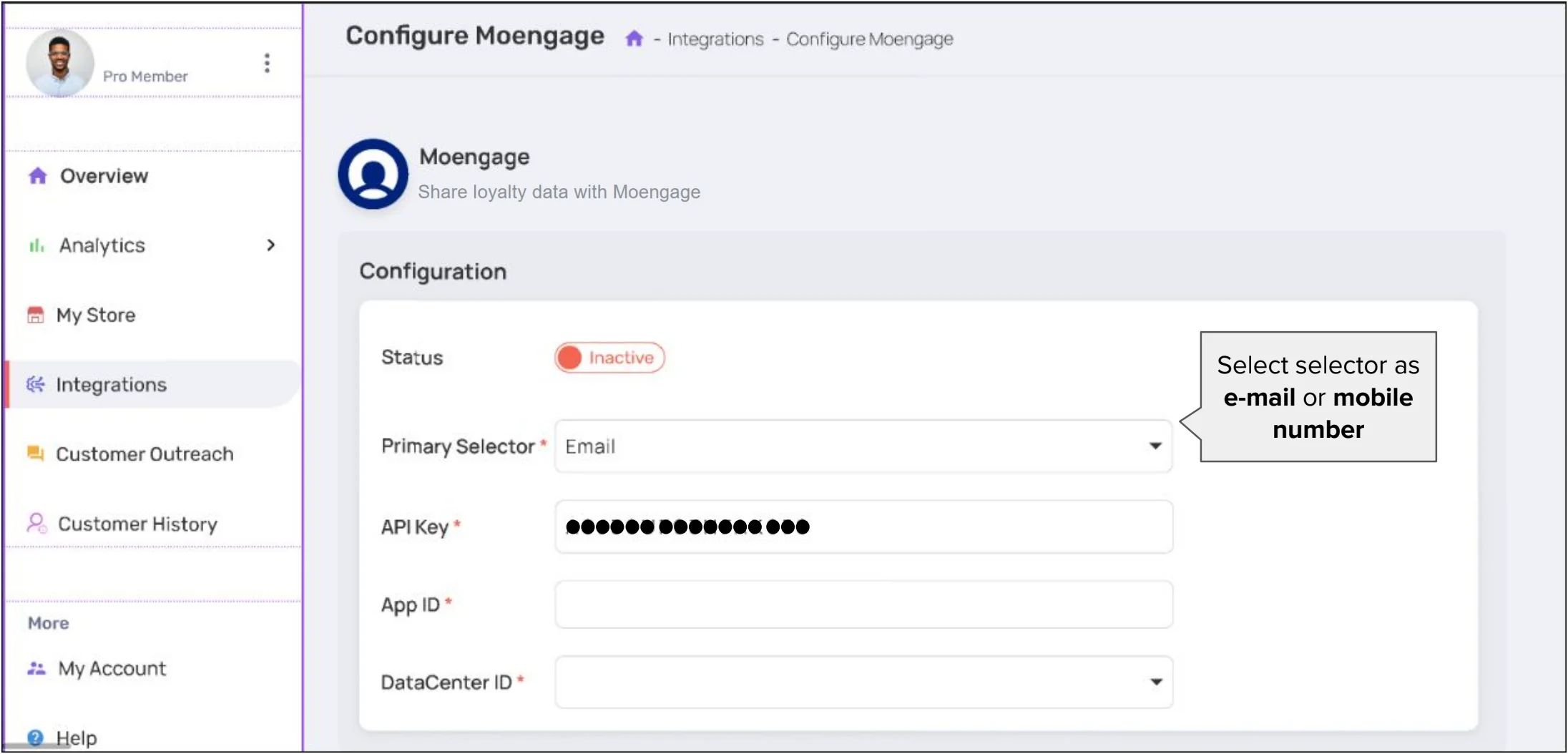
- Enter the following information:
| Field | Description |
|---|---|
| Status | Click on “Inactive” to activate the status. |
| Primary Selector | Select your customer identifier to match users on MoEngage. This can be either mobile or e-mail. Note that POPcoins will attempt to match users based on your customer ID in MoEngage. |
| API Key | The Data API key of your MoEngage account is available at Settings -> Account -> APIs -> API keys > Data API settings. |
| Workspace ID | The Workspace ID of your MoEngage account is available at Settings -> Account -> APIs -> Workspace ID. |
| Data Center ID | Select your Data Center ID based on your MoEngage Dashboard URL. Know more. |
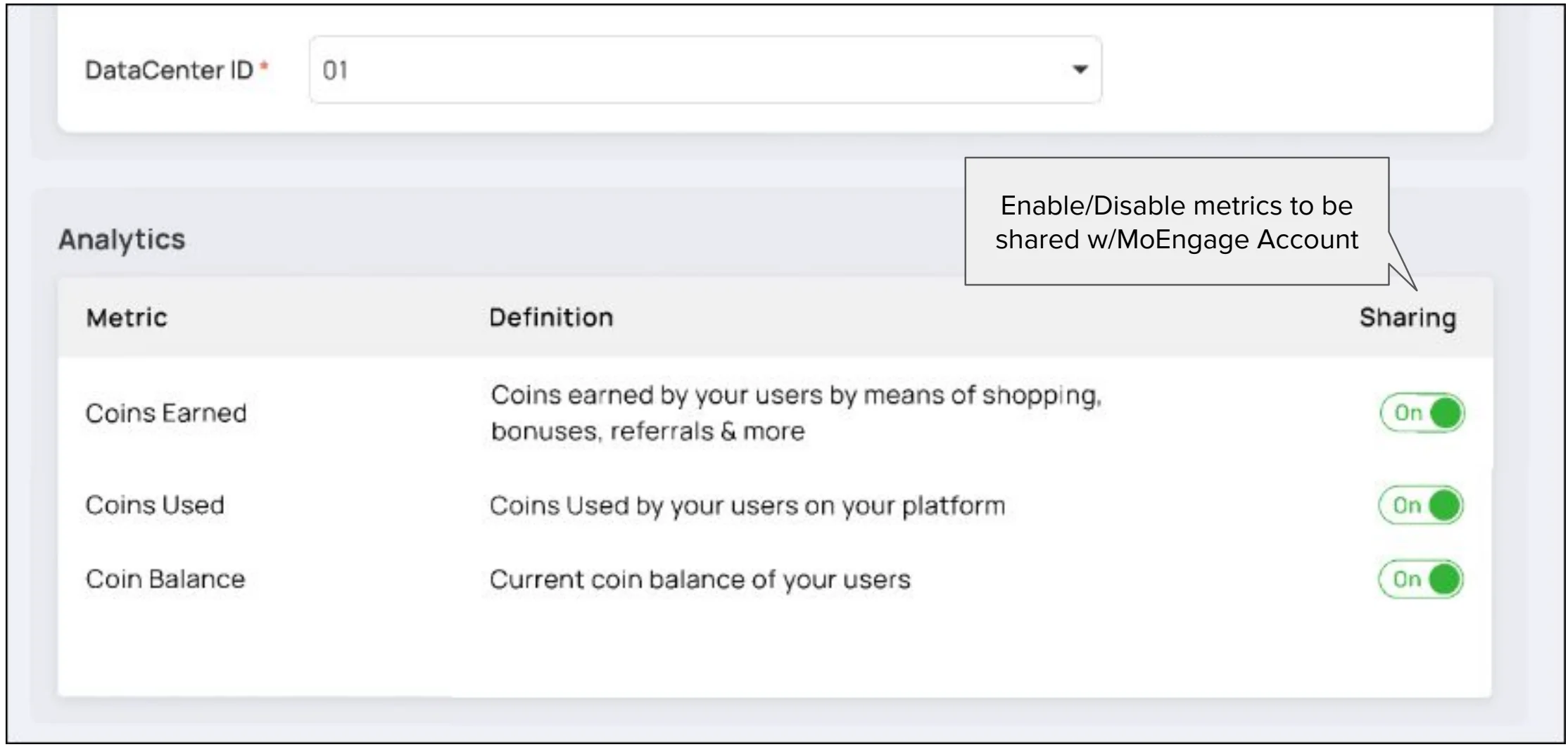
- Toggle the metrics you want to send to MoEngage:
- Toggle the events you want to forward to MoEngage:
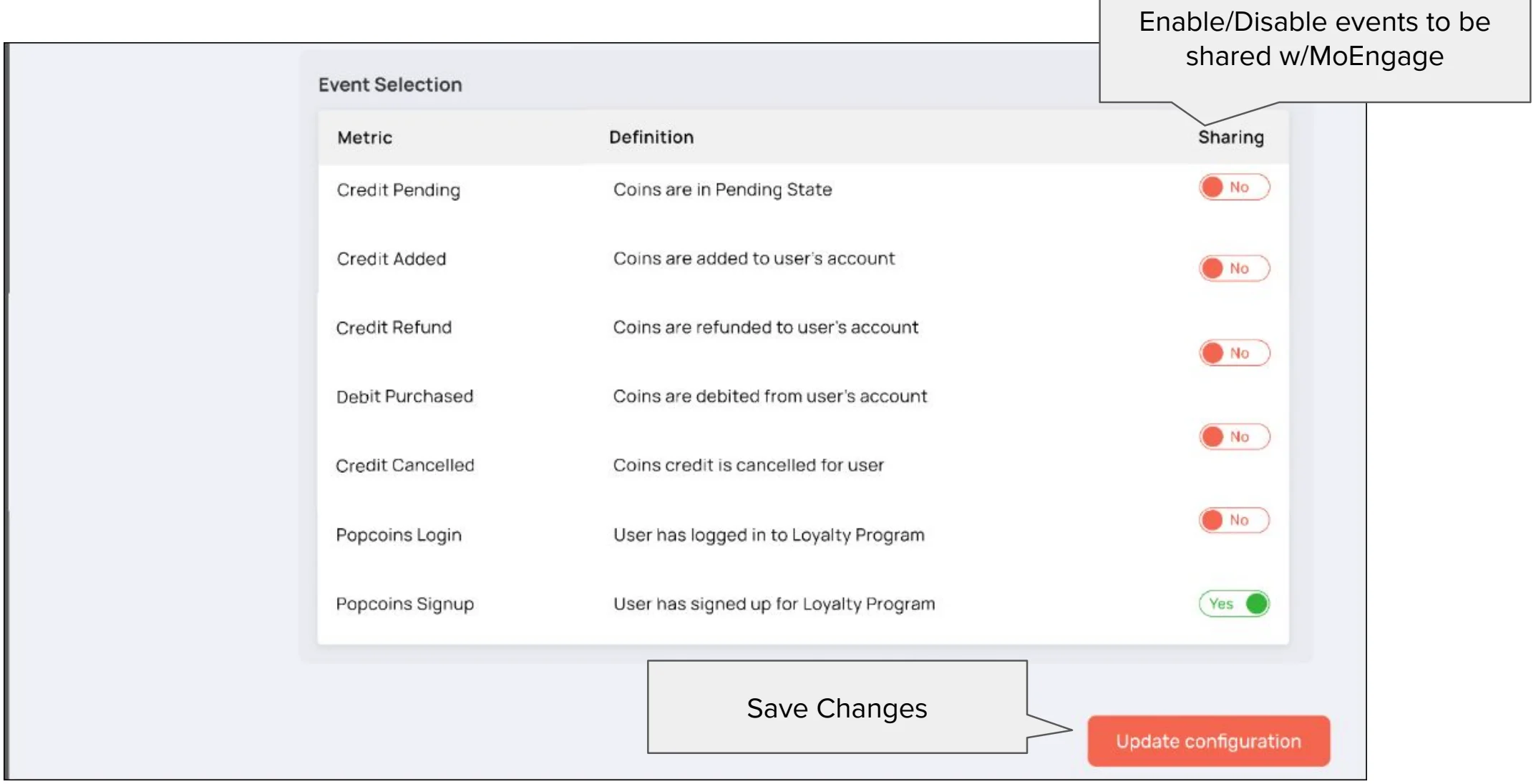
- Click on “Update configuration” to save the integration.
Events forwarded by POPcoins
| Event | Description |
|---|---|
| Credit Pending | Coins are in Pending State |
| Credit Added | Coins are added to the user’s account. |
| Credit Refund | Your Coins are refunded to your account. |
| Debit Purchased | Your Coins are debited from your account. |
| Credit Cancelled | Your Coins credit is canceled. |
| Popcoins Login | You have logged in to your account. |
| Popcoins Signup | You have signed up. |