

Introduction
Regal has built an event-driven customer engagement platform that enables brands’ sales teams to communicate with their customers through branded calls and SMS.MoEngage × Regal
The MoEngage and Regal integration offers a powerful combination of insights-led customer engagement and outbound phone & SMS sales platform. This integration is designed to fulfill the following use cases:- Create contacts in Regal when an event is captured in MoEngage
- Update user properties like opt-in information on Regal when MoEngage capturs this information
- Forward events captured in MoEngage to Regal as custom events
Integration
Prerequisites
- You would need your Regal API Key to get started.
Step 1: Setup Connector Campaign on MoEngage
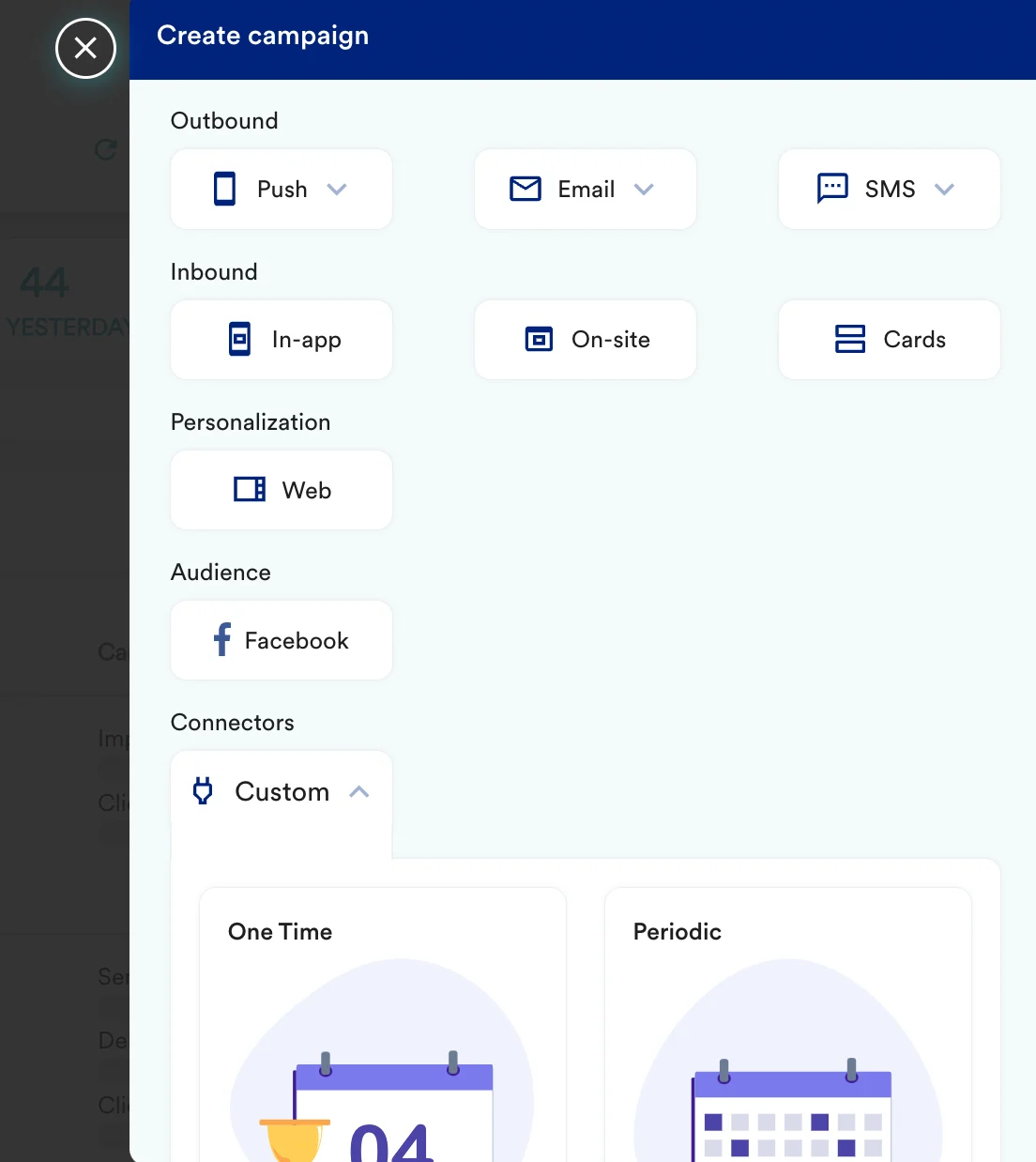
To create a connector campaign on MoEngage,- Navigate to Create Campaign >> Connectors >> Custom and choose the delivery type most suitable to your needs
- On step 2 of the campaign
Call the Regal Custom Events API
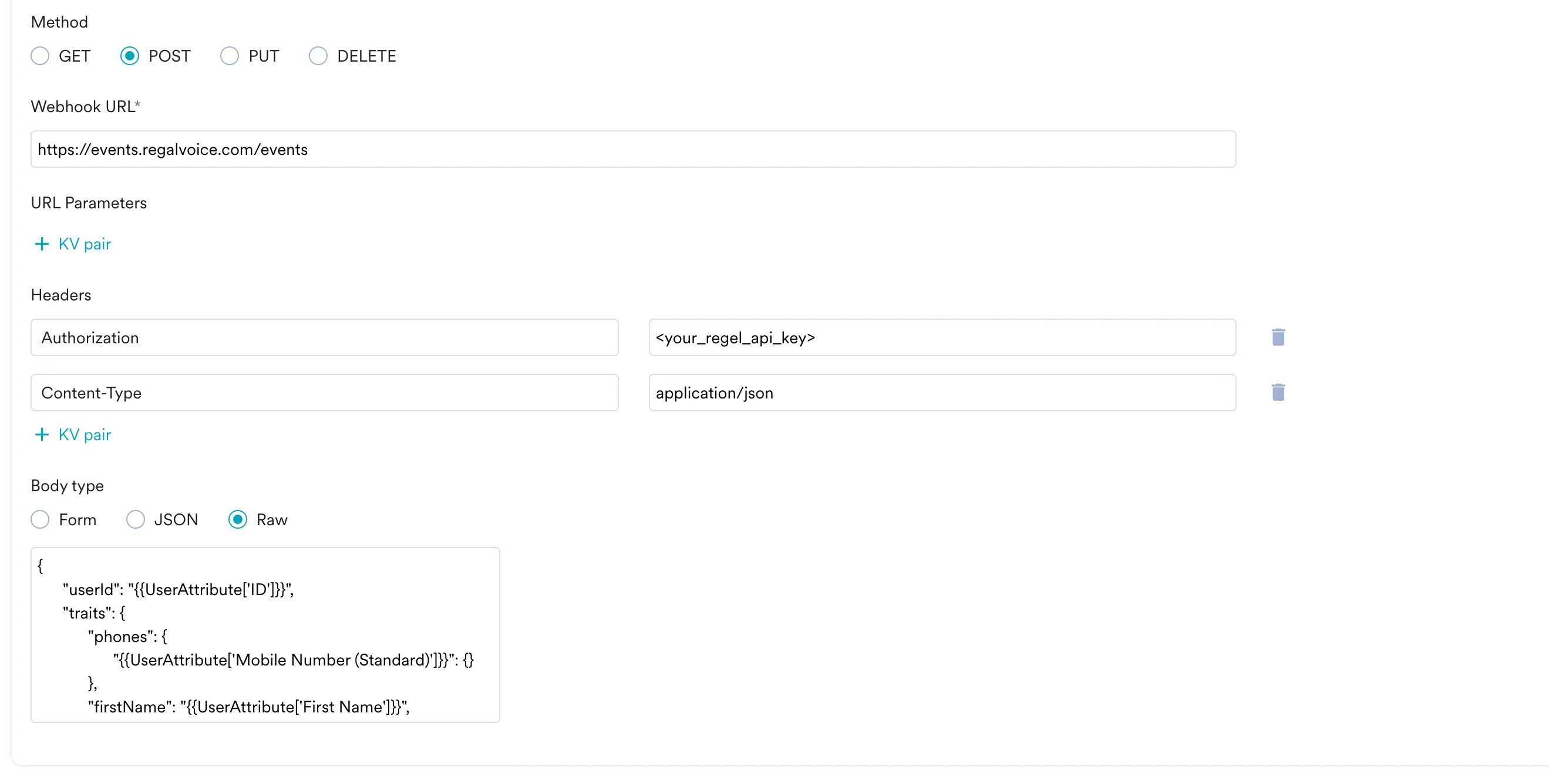
To create a new contacts on Regal, use thePOST method and configure the payload.
- Select the method as POST
- Headers:
Authorization:<your_regel_api_key>Content-Type:application/json
- Add the endpoint as Webhook URL:
https://events.regalvoice.com/events - Body:
- Create contact
- Update user
- Create custom event
- Refer to the Regal documentation for more information.
Preview your request
At this point, your campaign should be ready to test and send. You can also test your connector configuration using the Test functionality available in Step 2 of Create Connector Campaign. You can go ahead and Publish the campaign.