

Configuring Push Notifications in iOS
APNS Certificate
To send push notifications in iOS, create an APNS certificate and upload it to the dashboard. Complete the following steps:- Create an APNS certificate
- Convert the resultant certificate to .pem format
- Upload .pem file to MoEngage Dashboard
Adding Push Entitlement to your Project
Once the APNS Certificate is uploaded, enable Push Entitlement in the Xcode project. For that select your app target, then go to Capabilities. Here enable the Push Notifications capability for your app as shown below :
Uninstall Tracking
We make use of silent pushes to track uninstalls. For tracking uninstalls of all the users, enable Remote Notification background mode in-app capabilities for the same as shown below :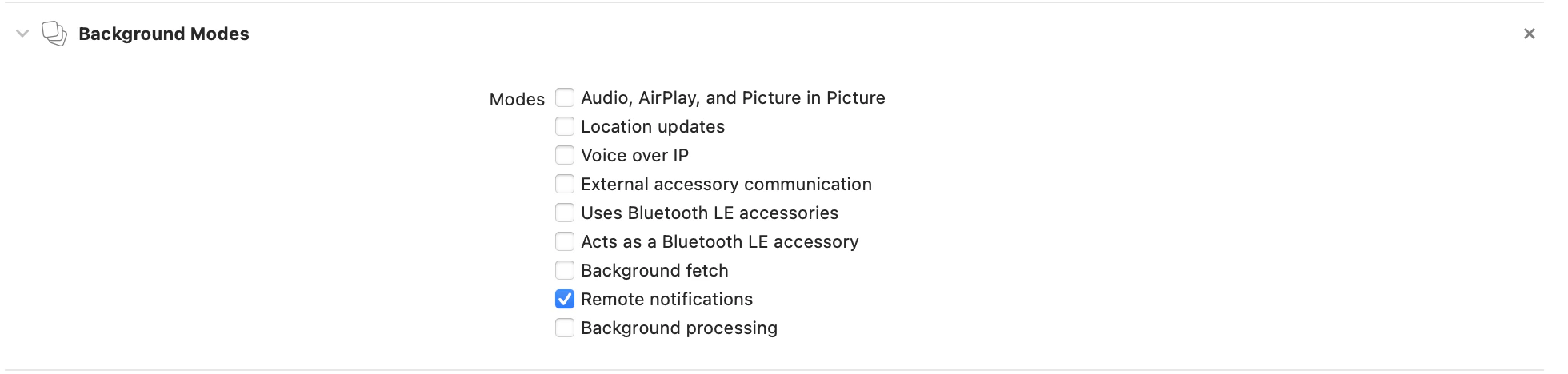
Push Registration
After this you will have to register for push notification by using registerForPushNotification method of the plugin as shown below :onPushTokenGenerated callback