> ## Documentation Index
> Fetch the complete documentation index at: https://moengage.com/docs/llms.txt
> Use this file to discover all available pages before exploring further.
# Uninstall Tracking
> Set up Android uninstall tracking in MoEngage to monitor app uninstall events and gain insights into user churn patterns via analytics.
Uninstall tracking helps you understand user churn by capturing uninstall events for your Android app. Enabling this setting populates data on the **Uninstalls** page in MoEngage Analytics, providing insights into when and why users uninstall your app.
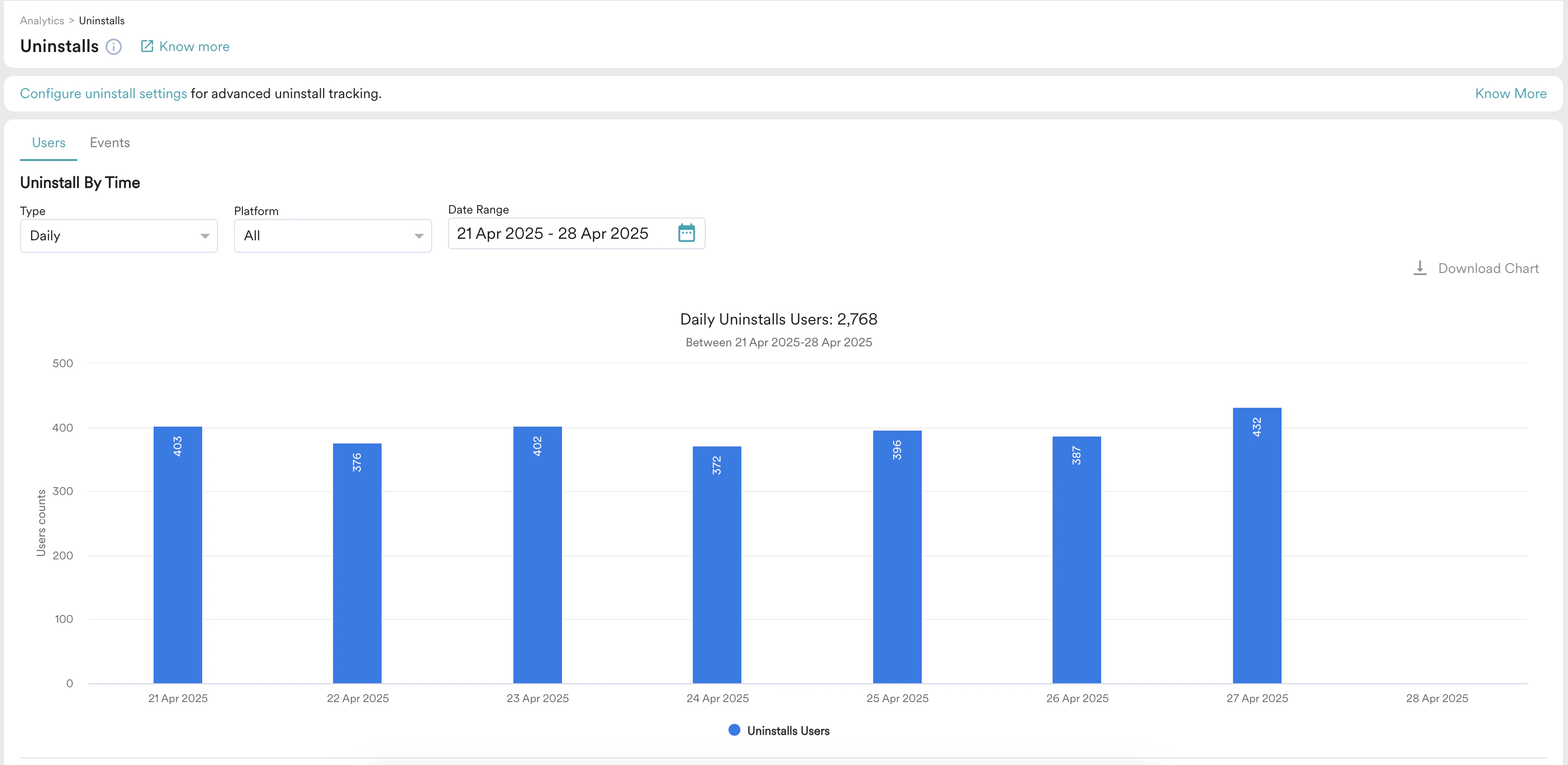 Android uninstall tracking allows you to track the *uninstallation* event or users who uninstalled the Android app. Before enabling Android uninstall tracking, ensure you handle Android silent pushes. For more information on Uninstall analytics, refer to [Uninstall](/docs/user-guide/analyze/analytics/uninstall).
Perform the following steps to enable uninstall tracking:
1. On the left navigation menu in the MoEngage dashboard, go to **Settings** > **Analytics** > **Uninstall tracking**.
2. On the Uninstall tracking page, turn the **Android Uninstall Tracking** toggle on.
Android uninstall tracking allows you to track the *uninstallation* event or users who uninstalled the Android app. Before enabling Android uninstall tracking, ensure you handle Android silent pushes. For more information on Uninstall analytics, refer to [Uninstall](/docs/user-guide/analyze/analytics/uninstall).
Perform the following steps to enable uninstall tracking:
1. On the left navigation menu in the MoEngage dashboard, go to **Settings** > **Analytics** > **Uninstall tracking**.
2. On the Uninstall tracking page, turn the **Android Uninstall Tracking** toggle on.
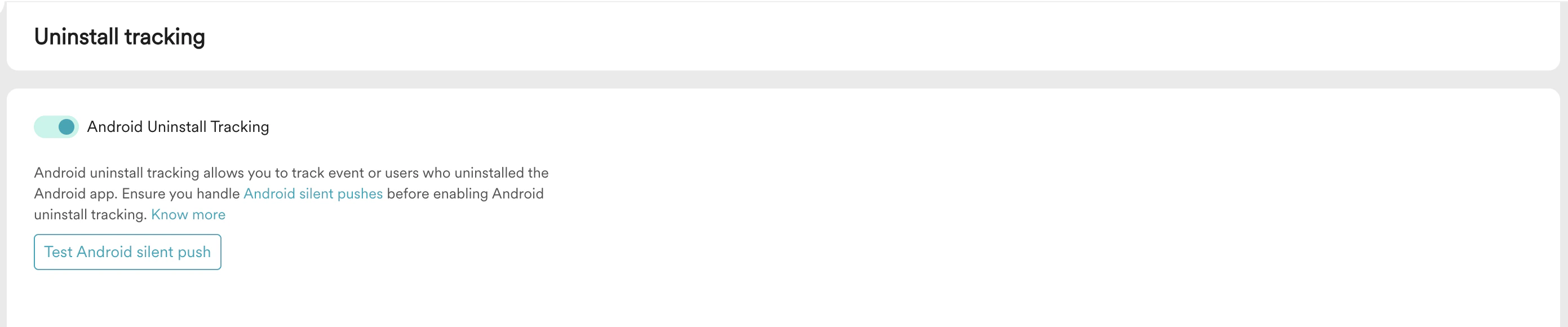 3. Click **Test Android silent push** to test silent push. For more information, refer to [Uninstall Tracking](/docs/user-guide/settings/analytics/uninstall-tracking).