> ## Documentation Index
> Fetch the complete documentation index at: https://moengage.com/docs/llms.txt
> Use this file to discover all available pages before exploring further.
# Perform User Distribution Manually
> Manually set user distribution percentages across A/B test variations in MoEngage campaigns to control how audiences receive each version.
Available for all channels and campaigns.
# Procedure
Follow these steps:
1. In Step 2 of the campaign creation process, click **+ A/B test**.
2. Click New Variation to create the new variation.\
OR\
Click Copy Variation to copy the previously created variation.
3. Click **User Distribution**.
4. Click on 'Manual' in the User Distribution screen that pops up. 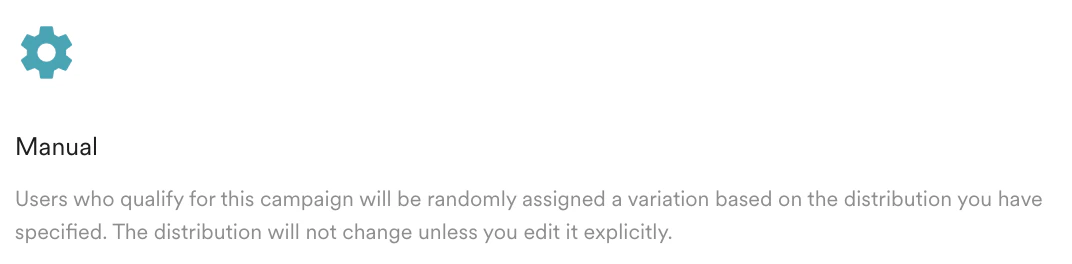 5. Set the following:
| Field | Description |
| ---------------------------------------------------------------------------------------------------------------------------------------------------------------------------------------------------------------------------------------------------------------------------------------------------------------------------------------------------------------------------------------------------------------------------------------------------------------------------------------------------------------------------------------------------------------------------------------------------------------------------------------------------------------------------------------------------------------------------------------------------------------------------------------------------------------------------------------------------------------------------------------------------------------------------------------------------------------------------------------------------------------------------------------------------------------------------------------------------------------------------------------------------------------------------------------------------------------------------------------------------------------------------------------------------------------------------------------------------------------------------------- | --------------------------------------------------------------------------------------------------------------------------------------------------------------------------------------------------------------------------------------------------------------------------------------------------------------------------------------- |
| Objective (Optional) | Objective of experiment.
5. Set the following:
| Field | Description |
| ---------------------------------------------------------------------------------------------------------------------------------------------------------------------------------------------------------------------------------------------------------------------------------------------------------------------------------------------------------------------------------------------------------------------------------------------------------------------------------------------------------------------------------------------------------------------------------------------------------------------------------------------------------------------------------------------------------------------------------------------------------------------------------------------------------------------------------------------------------------------------------------------------------------------------------------------------------------------------------------------------------------------------------------------------------------------------------------------------------------------------------------------------------------------------------------------------------------------------------------------------------------------------------------------------------------------------------------------------------------------------------- | --------------------------------------------------------------------------------------------------------------------------------------------------------------------------------------------------------------------------------------------------------------------------------------------------------------------------------------- |
| Objective (Optional) | Objective of experiment.
**Note**: Applicable only to In-App Message, On-Site Message, and Web Personalization. |
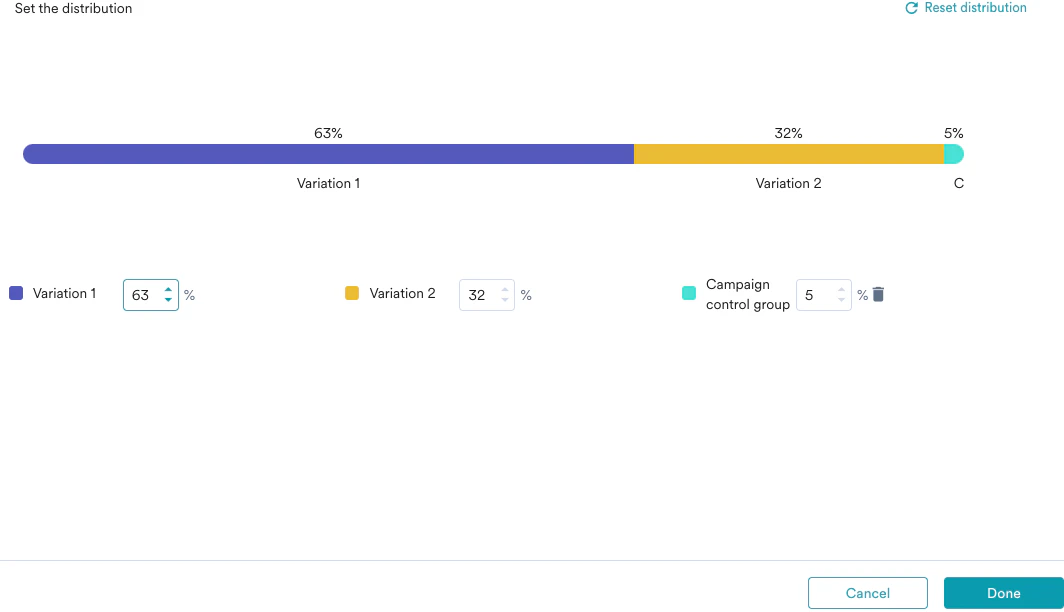
| Variation | Modify the variation name for the campaign variation. (Applicable only for In-App, On-Site Messaging, and Web Personalization).
**Note**: You can create only up to five variations. |
| Campaign control group | Set the percentage of users who will receive the campaign.
**Note**: MoEngage does not guarantee receipt of campaigns the second time where: - Users belong to either the global control group or the campaign control group for any active campaign,
- Users are qualified to receive the campaigns twice.
|
|  | |
6. Click **Done** to save the campaign variations.\
OR\
Click **Cancel** to discard the campaign variations.
# Next Steps
You need to create the best winning campaign and send the campaign to the users.
* [Perform User Distribution Dynamically using Merlin AI](/docs/user-guide/ai-and-intelligence/ab-testing/create-multivariate-testing/perform-user-distribution-dynamically-using-merlin-ai)
* [Edit Multivariate Experiments](/docs/user-guide/ai-and-intelligence/ab-testing/create-multivariate-testing/edit-multivariate-experiment)
* [Push Sample Experiments](/docs/use-cases/push/sample-a-b-experiments-for-push)
All MoEngage AI products, which were previously referred to as *Sherpa AI*, are now known as *Merlin AI*.
| |
6. Click **Done** to save the campaign variations.\
OR\
Click **Cancel** to discard the campaign variations.
# Next Steps
You need to create the best winning campaign and send the campaign to the users.
* [Perform User Distribution Dynamically using Merlin AI](/docs/user-guide/ai-and-intelligence/ab-testing/create-multivariate-testing/perform-user-distribution-dynamically-using-merlin-ai)
* [Edit Multivariate Experiments](/docs/user-guide/ai-and-intelligence/ab-testing/create-multivariate-testing/edit-multivariate-experiment)
* [Push Sample Experiments](/docs/use-cases/push/sample-a-b-experiments-for-push)
All MoEngage AI products, which were previously referred to as *Sherpa AI*, are now known as *Merlin AI*.