> ## Documentation Index
> Fetch the complete documentation index at: https://moengage.com/docs/llms.txt
> Use this file to discover all available pages before exploring further.
# Contentful
> Deliver Contentful headless CMS content across channels and dynamically pull it into MoEngage campaigns using Content APIs.
# Introduction
[Contentful](https://www.contentful.com/) is a headless content management system that lets you create, manage, and distribute content to any platform. Unlike a content management system (CMS), Contentful allows you to create your content model so you can decide which content you want to manage.
# MoEngage × Contentful
MoEngage × Contentful integration allow you to deliver your Contentful content across multiple channels, such as websites, mobile apps (iOS, Android, and Windows), or many other platforms. You can also dynamically pull content from Contentful via MoEngage content APIs in campaigns.
# Integration
**Prerequisites**
* Ensure you have access to your Contentful account with Content Delivery API Campaign capability
## Step 1: Get Contentful API credentials
On your Contentful account,
1. Navigate to *Settings > API keys.*
If you don’t already have an API key, create a new one.
2. Create or retrieve API access tokens.
1. Select *Add API key*.
2. Enter the required details and select the appropriate environment.
3. Select Save and copy the *Space ID* and *Content Delivery API - access token*.
3. Identify the content model you want to access through the Contentful API.
## Step 2: Setup content API on MoEngage
To create a content API campaign on MoEngage,
1. Navigate to Settings >> Advanced Settings >> Content APIs
2. Click *Add Content API*.
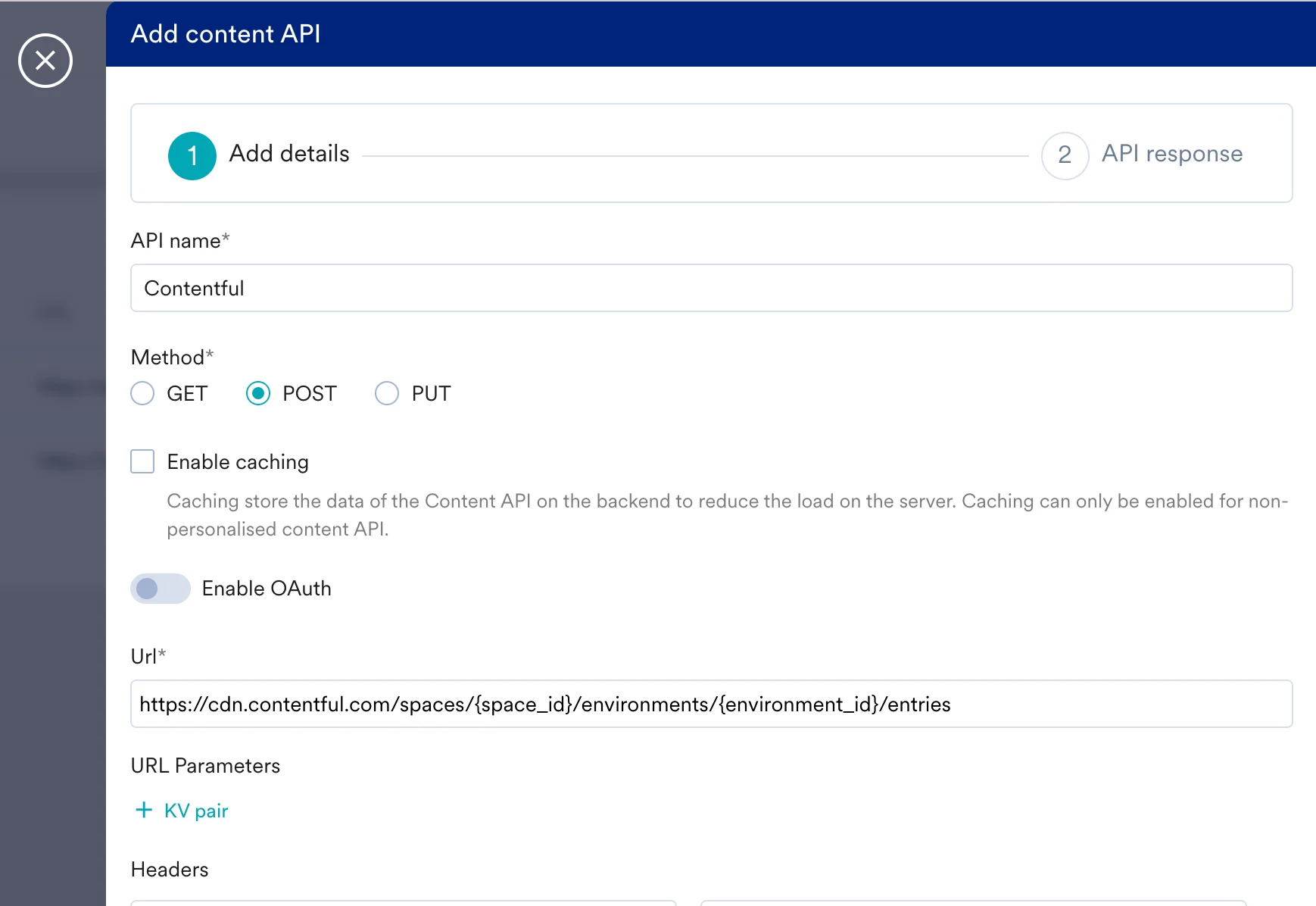 3. Fill in the details
| Key | Value |
| ----------- | ------------------------------------------------------------------------------------------------------------------------------------------------------------------------------------------------------------------------------------------------------------------------------------------------------------------------------------------------------------------------------------ |
| Method | POST |
| Webhook URL | `https://cdn.contentful.com/spaces/{space_id}/environments/{environment_id}/entries` Retrieving different assets requires including specific variables. The example URL request targets Contentful’s Entry endpoint. This endpoint needs variables like `{space_id}` and `{environment_id}`, or `{entry_id}` and `{access_token}`. These can be taken from your Contentful instance. |
| Headers | Refer to the [Contentful Documentation here](https://www.contentful.com/developers/docs/references/content-delivery-api/#/introduction/authentication) to define the right authorization depending on your Contentful Settings. |
| Body | Refer to the [Contentful Documentation here](https://www.contentful.com/developers/docs/references/content-delivery-api/#/introduction/authentication) to define the right body for your content type. |
Note:
* The example Content Delivery API URL uses only one of Contentful’s available endpoints.
* Different use cases may be achieved by leveraging different URLs. For example, the [Image API](https://www.contentful.com/developers/docs/references/images-api/) can be used to capture images stored in Contentful. For more information, refer to [Content Delivery API](https://www.contentful.com/developers/docs/references/content-delivery-api/).
4. Click test and Save.
Once done, refer to the MoEngage documentation on using [Content APIs in campaigns.](https://www.moengage.com/docs/user-guide/campaigns-and-channels/getting-started/campaign-content/content-apis#step-2-test-the-content-api)
3. Fill in the details
| Key | Value |
| ----------- | ------------------------------------------------------------------------------------------------------------------------------------------------------------------------------------------------------------------------------------------------------------------------------------------------------------------------------------------------------------------------------------ |
| Method | POST |
| Webhook URL | `https://cdn.contentful.com/spaces/{space_id}/environments/{environment_id}/entries` Retrieving different assets requires including specific variables. The example URL request targets Contentful’s Entry endpoint. This endpoint needs variables like `{space_id}` and `{environment_id}`, or `{entry_id}` and `{access_token}`. These can be taken from your Contentful instance. |
| Headers | Refer to the [Contentful Documentation here](https://www.contentful.com/developers/docs/references/content-delivery-api/#/introduction/authentication) to define the right authorization depending on your Contentful Settings. |
| Body | Refer to the [Contentful Documentation here](https://www.contentful.com/developers/docs/references/content-delivery-api/#/introduction/authentication) to define the right body for your content type. |
Note:
* The example Content Delivery API URL uses only one of Contentful’s available endpoints.
* Different use cases may be achieved by leveraging different URLs. For example, the [Image API](https://www.contentful.com/developers/docs/references/images-api/) can be used to capture images stored in Contentful. For more information, refer to [Content Delivery API](https://www.contentful.com/developers/docs/references/content-delivery-api/).
4. Click test and Save.
Once done, refer to the MoEngage documentation on using [Content APIs in campaigns.](https://www.moengage.com/docs/user-guide/campaigns-and-channels/getting-started/campaign-content/content-apis#step-2-test-the-content-api)