> ## Documentation Index
> Fetch the complete documentation index at: https://moengage.com/docs/llms.txt
> Use this file to discover all available pages before exploring further.
# Email Subscription Overview
> Manage user email resubscription, opt-in status, and category preferences.
The MoEngage Email Subscription Management APIs allow you to update email preferences for your users directly within the MoEngage platform. This suite enables you to synchronize resubscription status with external Email Service Providers (ESPs) and manage granular category-level opt-ins to ensure compliance and a better user experience.
## Endpoints
The Email Subscription API consists of the following endpoints:
* [Bulk Resubscribe Users](/docs/api/resubscribe/bulk-resubscribe-users): Resubscribes users and optionally updates ESP suppression lists.
* [Update User Email Opt-in Preferences](/docs/api/opt-in-management/update-user-email-opt-in-preferences): Updates overall opt-in status and category-specific preferences.
## API Capabilities
| Feature | Bulk Resubscribe | Opt-in Management |
| ----------------------- | ---------------------- | ----------------- |
| **Sync with ESP** | ✓ (SendGrid supported) | ✗ |
| **Category Management** | ✗ | ✓ |
| **Bulk Processing** | ✓ (Up to 100 users) | ✗ (Single User) |
| **Async Processing** | ✓ | ✗ |
## Implementation Notes
**ESP Support:**
The Resubscription API currently supports **SendGrid** only. When `update_esp` is set to `true`, MoEngage automatically removes the email addresses from your SendGrid suppression list.
**Identity Management for Opt-in:**
* **PII Tokenization:** You must pass the `customer_id`. MoEngage uses this to locate the user as the email ID is not stored.
* **PII Encryption:** Pass either the `customer_id` or the decrypted `email_id`. If only the email ID is passed, all users associated with that email will be updated.
## FAQs
### Resubscription
We will automatically call the ESP to remove the recipient email addresses sent in the request from their suppression list.
This attribute is configured in the User Attribute that stores user’s email address field in the General Settings for the Email channel. You can either use the “Email Standard” attribute that MoEngage uses by default or configure any other custom attribute of your choice to store the email address of your users. This attribute is available in the User Profile for each user.
The Resubscription API will use this attribute to look for the users mapped to the email addresses in the recipient list and update their subscription status.
The Current Connector field in Email -> General Settings has the information about which ESP is used. The Resubscription API will use this information to update the suppression list in the ESP.
If any other ESP is sent in the request or configured as the default connector, then only the Unsubscribe standard attribute in MoEngage will be updated to false, and the ESP will not be updated (only Sendgrid ESP is supported for the Resubscription API).
When the ESP is changed in the Email General Settings, it takes up to 15 minutes for the settings to get reflected. If a resubscription request is executed within this time frame, the older settings will get picked. For example, if the ESP is changed from Amazon to SendGrid and a resubscription request is performed within 15 minutes of updating the settings, the ESP would still be Amazon. The unsubscribe flag will get updated in the MoEngage Dashboard alone.
The Data API updates only the unsubscribe attribute in MoEngage. The Resubscribe Email API additionally syncs with your ESP (SendGrid) to remove the email from their suppression list.
### Opt-in and Categories
The user attribute specified in the General Settings of email will be used to search for users matching the provided email ID.
Email ID is given higher priority, and MoEngage finds all users with the same email ID and updates them with the passed opt-in status value. However, if you have requested not to carry forward the opt-in status or unsubscribe information across profiles with the same email ID, MoEngage picks the customer\_id and uses it to update the opt-in status.
Yes, they are carried forward by default. If User A and B have the same email ID and MoEngage received consent from A, both A and B are marked as double-opted in. This can always be controlled. To do so, contact the MoEngage team.
If the API payload has even one category that is not active or present in your workspace, MoEngage throws an error and drops the request.
No, it is not mandatory. If required, you can always track this at the global level.
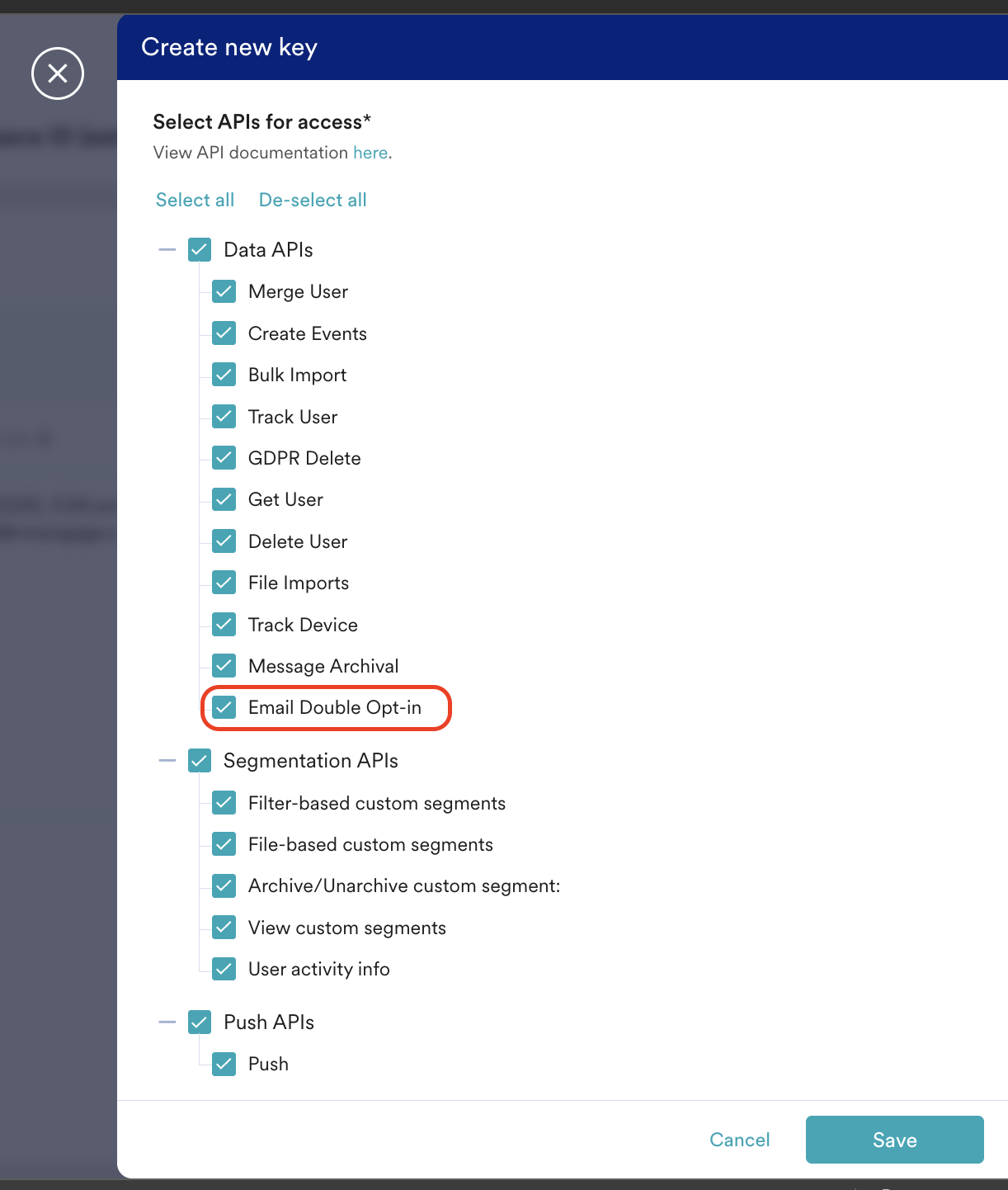
Suppose API key rotation is practiced, and the workspace has more than one active API key for a smoother transition. In that case, you can use any active API key associated with Email Double optin for authorization purposes.
 Whenever a user's opt-in status is updated using this API, the Resubscribe API, the Update Subscription Preference API, or via the end-user interaction, MoEngage raises an event called Email Optin Status Updated with the necessary information.
* If you use PII Tokenization for your emails, ensure you pass the user ID when calling the Email Opt-in Management API. MoEngage uses this user ID to locate the user and update their opt-in status. Passing the email ID is ineffective in this case, as MoEngage does not store it.
* If you use PII Encryption to send emails, ensure you pass either the user ID or the decrypted email ID. MoEngage uses this information to locate the associated user and update their opt-in status, or to update the opt-in status of all users having that email ID.
## Postman Collections
Test these subscription APIs immediately using our Postman collection. View Postman Collection → [**Resubscribe API**](https://www.postman.com/moengage-dev/api-docs/collection/xt2ptnc/moengage-resubscribe-api) and [**Email Optin Management**](https://www.postman.com/moengage-dev/api-docs/request/fcc8l9m/email-optin-managment?tab=overview).
Whenever a user's opt-in status is updated using this API, the Resubscribe API, the Update Subscription Preference API, or via the end-user interaction, MoEngage raises an event called Email Optin Status Updated with the necessary information.
* If you use PII Tokenization for your emails, ensure you pass the user ID when calling the Email Opt-in Management API. MoEngage uses this user ID to locate the user and update their opt-in status. Passing the email ID is ineffective in this case, as MoEngage does not store it.
* If you use PII Encryption to send emails, ensure you pass either the user ID or the decrypted email ID. MoEngage uses this information to locate the associated user and update their opt-in status, or to update the opt-in status of all users having that email ID.
## Postman Collections
Test these subscription APIs immediately using our Postman collection. View Postman Collection → [**Resubscribe API**](https://www.postman.com/moengage-dev/api-docs/collection/xt2ptnc/moengage-resubscribe-api) and [**Email Optin Management**](https://www.postman.com/moengage-dev/api-docs/request/fcc8l9m/email-optin-managment?tab=overview).